
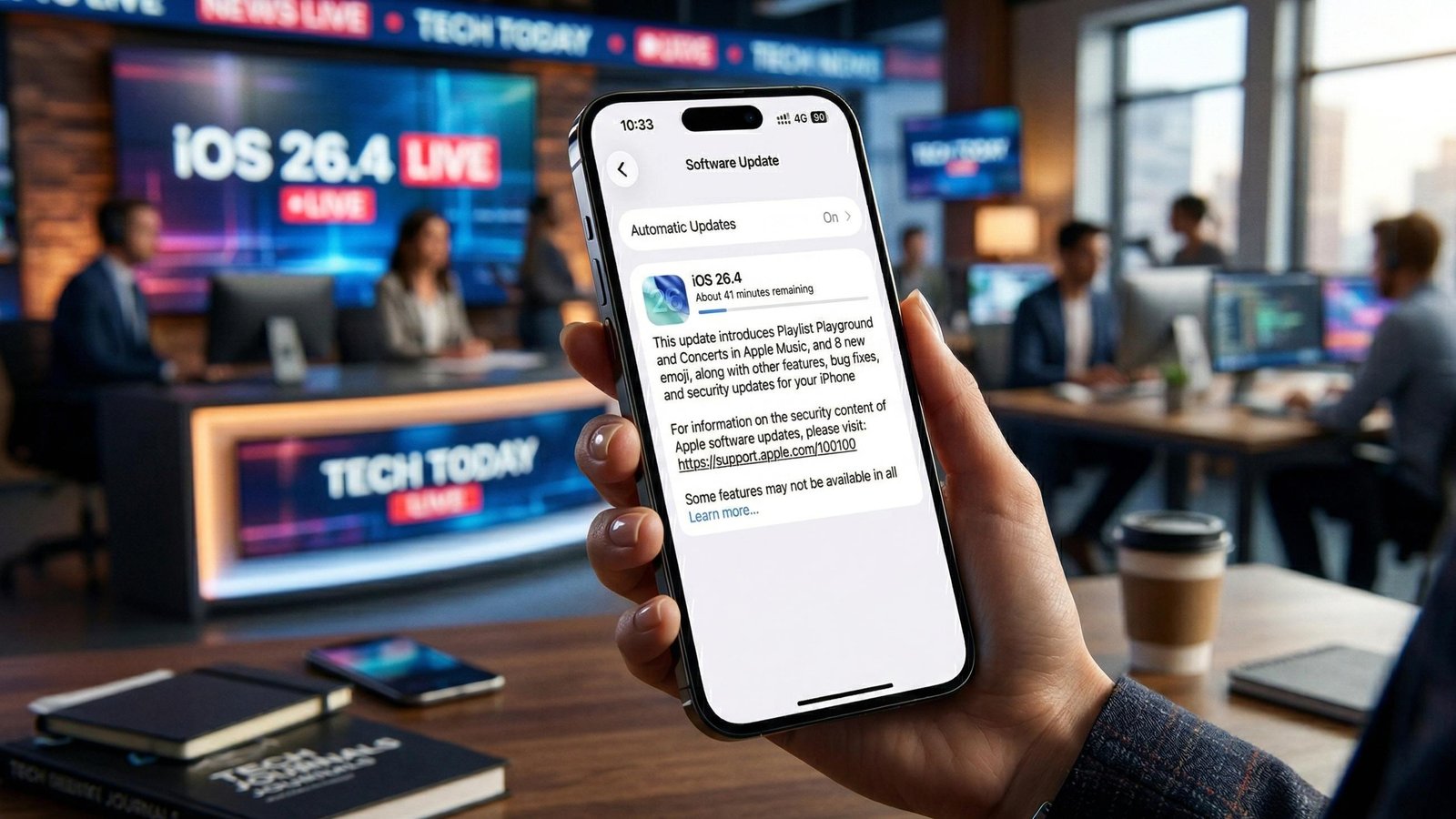
Believe it or not, the wait for the next big iPhone evolution finally ended yesterday. Apple officially dropped iOS 26.4 on March 24, 2026, and the digital world is currently buzzing. This update feels like much more than a simple decimal point bump. Since the initial release of iOS 26, users have navigated a landscape of “Liquid Glass” aesthetics. However, version 26.4 is where the software truly begins to feel mature and deeply integrated.
Interestingly, Apple changed its naming convention last year to match the calendar release cycle. Therefore, we are currently living in the era of iOS 26 rather than the predicted iOS 19. This strategic shift aligns the iPhone’s heart with macOS Tahoe and watchOS 26. Consequently, everything feels more unified across the entire Apple ecosystem.

A New Vision for Apple Music
First and foremost, the most striking changes in this update live within the Apple Music app. Have you ever felt that your playlists lacked a certain “soul” or personal touch? Fortunately, Apple introduced a beta feature called Playlist Playground. This tool uses on-device intelligence to generate custom soundtracks based on your mood descriptions.
Simply type a prompt like “lo-fi beats for a rainy Tuesday in Seattle.” Within seconds, the system crafts a tracklist complete with a unique title and custom artwork. Furthermore, the visual experience has received a massive overhaul. Albums and playlists now feature full-screen immersive backgrounds. These dynamic visuals reflect and refract light based on the album’s color palette.
Additionally, a new Concerts tab has appeared to bridge the gap between streaming and live events. This feature scans your library to find upcoming shows in your immediate vicinity. Because it knows your listening habits, it also suggests new artists touring nearby. Consequently, you will never miss a local gig from an underground favorite again.
The Shazam Evolution: Music Recognition Goes Offline
Meanwhile, the Control Center has gained a superpower that we have wanted for years. Offline Music Recognition is now a reality for the first time. Imagine you are in a remote cafe with absolutely no cellular signal. Suddenly, a hauntingly beautiful song starts playing over the speakers.
Previously, you would be out of luck without an active internet connection. Now, however, your iPhone can capture the “fingerprint” of the song and store it locally. Once you step back into a 5G zone, the device identifies the track automatically. This small tweak proves that Apple is focusing on utility just as much as flash.
Social Expression: Eight New Ways to Chat
Of course, no major iOS update would be complete without a fresh batch of emoji. iOS 26.4 introduces eight new characters to help you express the unexpressable. The standout addition is definitely the orca, which looks stunning on the high-resolution OLED displays.
Musicians will appreciate the new trombone, while nature lovers get a surprisingly detailed landslide. For those days when life feels a bit “off,” the distorted face emoji is the perfect response. However, remember that these only render correctly if the recipient has also updated. So, you should probably tell your friends to hit that “Update Now” button soon.
Accessibility and the Liquid Glass Refinement
Behind the scenes, Apple is refining the Liquid Glass design language that debuted last September. While most users love the translucent, glass-like textures, some found the animations a bit overwhelming. Responding to this feedback, Apple added a Reduce Motion setting specifically for Liquid Glass.
This toggle ensures that the interface remains readable for those sensitive to screen motion. Furthermore, a new Reduce Bright Effects setting has been added to the Accessibility menu. This feature minimizes intense flashes when you tap buttons or toggle switches. Clearly, the goal here is to make the iPhone experience as comfortable as possible for everyone.
Pro Productivity: Freeform and Reminders
For the “pro” users, the Freeform app has received a significant boost in power. It now integrates with the Apple Creator Studio to provide advanced image editing tools. If you are a subscriber, you can access a premium library of textures and elements. This transforms a simple white-boarding app into a legitimate design suite.
Meanwhile, the Reminders app is finally getting better at yelling at you when it matters. You can now mark specific tasks as Urgent directly from the Quick Toolbar. These urgent items will bypass certain Focus modes to ensure you don’t miss a deadline. Additionally, you can filter your Smart Lists to show only these high-priority tasks.
Family Sharing and Financial Independence
Another “quality of life” improvement involves how families manage their digital spending. In the past, the family organizer usually footed the bill for every purchase made by the group. With Purchase Sharing updates in 26.4, adult members can finally use their own payment methods.
This change allows for much more independence within a Family Sharing group. You can still share your subscriptions and apps without sharing a single credit card. Honestly, this is one of those features that should have existed years ago. It effectively removes a major friction point for modern, multi-generational Apple families.
The Great Keyboard Fix in iOS 26.4
Perhaps the most celebrated “silent” fix in this update concerns the virtual keyboard. Since the launch of the iPhone 17, some users reported a slight lag when typing at high speeds. Although Apple remained quiet about the cause, the release notes for 26.4 finally address it.
They officially mention “improved keyboard accuracy when typing quickly.” Early testers suggest that the “ghost touches” and missed letters have finally vanished. If you have been frustrated by typos lately, this update might be your favorite one yet.
Security and Compliance of iOS 26.4
Naturally, we must discuss the security enhancements that come packaged with this release. iOS 26.4 addresses several critical vulnerabilities in the Kernel and WebKit engines. Specifically, it fixes a bug that could allow malicious websites to access sensitive user data.
Furthermore, Apple has introduced new Age Verification systems in specific regions. This move ensures compliance with local laws in places like Utah, Louisiana, and Singapore. While it might feel like an extra step, it is a necessary part of Apple’s commitment to safety.
Looking Toward the Future: iOS 27 and Beyond
As we settle into the features of 26.4, the rumor mill is already turning toward iOS 27. We expect Apple to preview the next major version at WWDC 2026 this June. Reports suggest that even deeper integration with Google’s Gemini AI models is on the horizon.
While iOS 26.4 gives us a taste of “Personal Intelligence,” the next version will likely be a feast. For now, however, the 26.4 update stands as a solid, reliable, and surprisingly fun mid-cycle release. It polishes the rough edges of the Liquid Glass era while adding genuine utility to our daily lives.
How to Get the Update of iOS 26.4
If you haven’t received a notification yet, you can trigger the download manually. Navigate to Settings > General > Software Update on your device. The update is compatible with the iPhone 11 and later, including the new iPhone 17e.
Make sure you have at least 6GB of free space before you begin the process. Also, ensure your battery is above 50% or connected to a charger. Given the sheer number of security fixes, this is an update you shouldn’t ignore.




Leave a Reply