
The tech world never sleeps. Specifically, Microsoft just dropped a massive Windows update. This April 2026 release changes everything. We are looking at a huge shift. Every user should pay close attention now. Consequently, your PC experience is about to evolve. This blog explores all the tiny details. We will uncover what truly matters today. Furthermore, security and speed take center stage. Let us dive into the specifics.

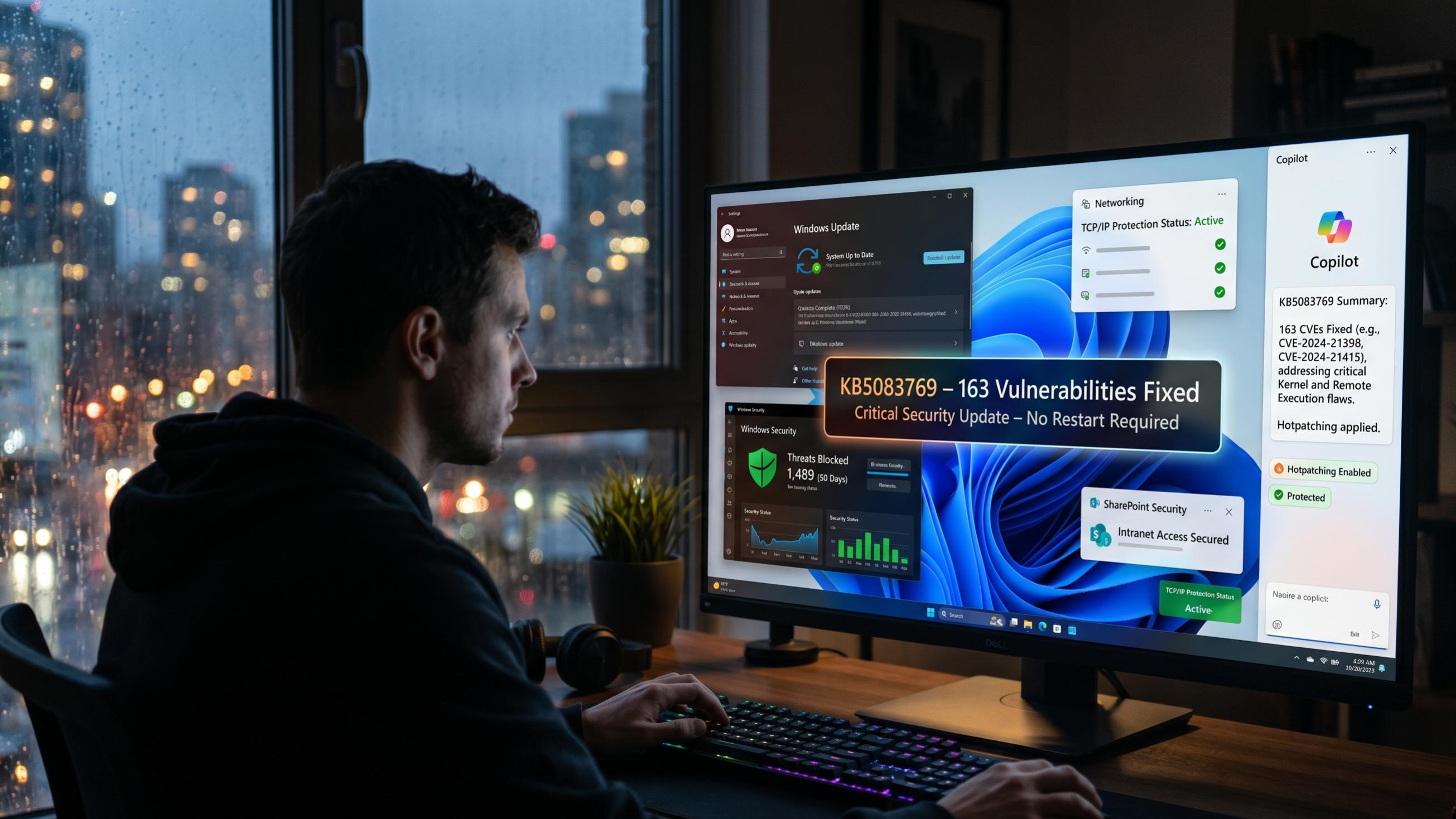
Initially, we must discuss the scale. This update is truly gargantuan. Microsoft addressed 163 different security vulnerabilities. This marks a significant milestone for safety. Specifically, eight flaws were labeled as critical. Attackers were already exploiting some of these. Therefore, you should install this patch immediately. Additionally, it targets core services like SharePoint. Your digital life depends on these fixes.
The April Patch Tuesday Breakdown
The latest update carries the label KB5083769. It primarily targets Windows 11 versions. Both 25H2 and 24H2 receive these improvements. Naturally, security remains the primary focus here. One major fix involves a SharePoint vulnerability. This flaw allowed for dangerous spoofing attacks. Hackers could access sensitive information easily. However, this update effectively closes that door. Consequently, enterprise users can finally breathe easily.
Moreover, the TCP/IP stack received a fix. This critical flaw allowed remote code execution. Attackers could trigger it during network tasks. Such a bug is extremely dangerous today. Specifically, it relied on a race condition. Microsoft engineers worked hard to solve this. Additionally, the Windows Defender engine got smarter. It now blocks more privilege escalation attempts. This ensures that your local data remains private.
Furthermore, the Windows Hello system was patched. A bypass vulnerability had been discovered recently. An attacker could potentially skip local authentication. However, improved input validation fixed the issue. This keeps your biometric data much safer. Consequently, your face is your best key. Microsoft also updated the Windows Wallet Service. Security researchers found several minor flaws there. Therefore, your digital payments are now secure.
The Revolution of Windows Hotpatching
We are witnessing a major transition now. Microsoft is pushing a feature called Hotpatching. This allows for updates without a restart. For years, we hated the reboot screen. Now, that frustration might finally vanish. Specifically, May 2026 will start this trend. However, the April update sets the foundation. Consequently, your PC prepares for a rebootless future. This change applies to Windows Autopatch users.
Basically, hotpatching updates the running code. It avoids the need to shut down. This saves a lot of precious time. Therefore, productivity will likely see a boost. Additionally, IT administrators will love this flexibility. They can patch systems during work hours. Furthermore, this reduces the “reboot fatigue” significantly. Users often delay updates because of restarts. Now, that excuse is becoming completely obsolete.
However, there is a small catch. You still need one baseline restart. The April update serves as that baseline. Once installed, the magic can truly begin. Consequently, May updates will install almost silently. Microsoft claims this improves security compliance greatly. Specifically, systems get patched much faster now. Therefore, the “vulnerability window” shrinks considerably. It is a bold move for Microsoft.
What to Expect from Version 26H2
Looking ahead, version 26H2 is coming. This is the big feature update. It will arrive later this year. Specifically, it focuses on refinement and AI. We are seeing a more polished experience. For instance, File Explorer is getting faster. Consequently, navigating your folders feels incredibly smooth. Additionally, the context menus are finally changing. They will look more modern and clean.
Moreover, the “Ask Copilot” feature is huge. It will soon replace standard Windows search. You can ask for settings directly now. For example, tell it to dim screen. Copilot will adjust the brightness for you. Consequently, you spend less time in menus. Furthermore, the search results will feel smarter. It uses AI to understand your intent. Therefore, finding files becomes a total breeze.
Redesigned context menus also make an appearance. They now prioritize your most used actions. Specifically, ML predicts what you need next. However, you can still access classic options. Consequently, the transition feels very natural and easy. Additionally, Microsoft added Dutch language voice support. This expands accessibility to many more users. Furthermore, the update cycle remains very predictable. You can plan your deployments with confidence.
Windows Update: The AI Transformation of the Taskbar
The taskbar is getting a major overhaul. Specifically, we can finally move it again. Users have begged for this for years. Now, you can place it anywhere. Do you want it at the top? Consequently, you can just drag it there. Furthermore, the left and right positions return. This makes the workspace feel truly personal. Therefore, creative professionals will be very happy.
Additionally, a network speed test is built-in. You can check your speed from taskbar. It measures Ethernet and Wi-Fi performance instantly. Consequently, you do not need external websites. This saves time during troubleshooting sessions. Moreover, search previews are much better now. You can hover over a result easily. Specifically, it shows a snippet of the content. This helps you verify the file quickly.
Furthermore, the notification center adds an agenda. This integrates directly with your Outlook calendar. Consequently, you can see your meetings fast. You can even join calls from there. Therefore, it acts as a central hub. Microsoft is also testing a “quiet” mode. This limits the distractions from various widgets. Consequently, you can focus on your actual work. It feels like a much smarter OS.
Windows Update: Enhancing File Explorer Fundamentals
File Explorer remains a core Windows tool. Consequently, Microsoft is investing heavily in it. The launch times are significantly faster now. Specifically, the “flicker” during navigation is gone. This makes the experience feel very premium. Additionally, copy and move operations are reliable. Large file transfers should not hang anymore. Furthermore, the integration with OneDrive is deeper.
Moreover, Copilot now lives inside File Explorer. A dockable side panel provides instant help. For instance, ask it to summarize documents. Consequently, you understand your files much quicker. You can also ask for file organization. Specifically, it can group items by project. Therefore, your desktop stays very clean and tidy. Additionally, context-dependent prioritization is being tested now.
Furthermore, custom folder names are now easier. Accessibility features are also much more robust. For example, screen readers handle lists better. Consequently, everyone can navigate their files effectively. Microsoft also fixed several persistent bugs here. Specifically, application hangs during cloud sync stopped. This improves the overall system stability greatly. Therefore, your daily workflow remains totally uninterrupted.
Windows Update: Security Improvements for Modern Users
Smart App Control is finally more flexible. Previously, it required a clean Windows install. Now, you can toggle it easily. Specifically, it lives in the security settings. Consequently, testing new apps is much simpler. You can turn it off temporarily. Furthermore, it protects against unsigned malicious software. This keeps your system clean and safe. Therefore, it is a vital tool today.
Additionally, phishing protection is getting an upgrade. It now scans Remote Desktop files carefully. Specifically, it warns about suspicious connection settings. Consequently, hackers cannot easily trick you anymore. Moreover, the Microsoft Defender engine is lighter. It uses fewer system resources while scanning. Therefore, your gaming performance will stay high. Furthermore, it catches zero-day threats more effectively.
Kernel-level security refinements are also present. These protect the very heart of Windows. Specifically, they block advanced memory-based attacks. Consequently, your hardware stays much safer overall. Microsoft also improved the recovery environment settings. Therefore, fixing a broken PC is faster. You can access tools without complicated menus. Additionally, the UI for security logins changed. It looks much cleaner and more professional.
Windows Update: Accessibility and AI Powered Narrator
Accessibility is a major theme this year. Specifically, the Narrator tool is much smarter. It now uses AI for descriptions. For example, it describes images in detail. Consequently, visually impaired users gain more context. This works on all Windows 11 PCs. Therefore, you do not need expensive hardware. Furthermore, it integrates with the Copilot engine.
Moreover, the voice access feature is expanding. It now supports multiple new languages natively. Consequently, more people can control their computers. Specifically, you can navigate menus using voice. This is perfect for hands-free operation. Additionally, the setup process is much smoother. Therefore, users can get started very quickly. Furthermore, the AI can interpret complex commands.
Microsoft also improved the magnifier tool’s performance. It now follows the text cursor accurately. Consequently, reading long articles is much easier. Specifically, the zoom levels feel more fluid. Additionally, high-contrast themes received a subtle update. They look better on modern HDR displays. Therefore, the visual experience is very inclusive. Furthermore, Microsoft listens to user feedback constantly. Consequently, these tools keep getting better every month.
Windows Update: Enterprise and IT Management Updates
For businesses, the changes are quite significant. Specifically, Windows Autopatch is now smarter. It identifies update issues before they spread. Consequently, downtime for employees is greatly reduced. Additionally, hotpatching is now the default setting. This ensures that security stays very tight. Therefore, IT managers can sleep much better. Furthermore, the reporting tools are more detailed.
Moreover, ARM64 devices get better support now. Specifically, Remote Server Administration Tools work natively. This is a huge win for mobility. Consequently, admins can manage servers from tablets. Therefore, the “work from anywhere” dream lives. Additionally, 64-bit apps run smoother on ARM. This expands the software library for users. Furthermore, the power efficiency is truly incredible.
Windows 365 also expanded to more regions. Specifically, Frontline mode is available in Brazil. Consequently, global teams can collaborate more easily. Moreover, the cloud PC experience is faster. It feels almost like a local machine. Therefore, performance is no longer a concern. Additionally, Microsoft added new monitoring and reporting. Consequently, you can track cloud PC health. This helps in maintaining high productivity levels.
The Future: Windows 12 and Beyond
Naturally, rumors about Windows 12 persist. Some experts say it is coming soon. Specifically, they expect a 2027 release date. However, Microsoft remains focused on Windows 11. Consequently, we see these massive feature updates. They are “fixing” the existing operating system. Therefore, Windows 11 keeps getting much better. Furthermore, the AI integration is just starting.
Moreover, the “Core PC” project continues. This aims for a modular Windows version. Specifically, it would be lighter and faster. Consequently, it could run on low-power devices. Therefore, the future of computing looks diverse. Additionally, we expect more “Agentic AI” functions. These are features that perform tasks automatically. For instance, Copilot might organize your calendar. Furthermore, it could draft your weekly emails.
However, we should enjoy the current updates. The April patch is a great start. Specifically, it makes your PC more secure. Consequently, you can browse the web safely. Additionally, the performance tweaks are very welcome. Therefore, keep your Windows Update service active. It is the best way to stay protected. Furthermore, keep an eye on our blog. We will bring you the latest news.
Final Thoughts on the April Windows Update
In conclusion, this update is a winner. Specifically, the security fixes are absolutely vital. Consequently, you should check for updates now. Do not wait for the automatic cycle. Therefore, take control of your digital safety. Additionally, the new features are very exciting. We love the taskbar and search changes. Furthermore, the hotpatching future looks very bright.
Moreover, Microsoft is listening to the community. They are bringing back the features we want. Specifically, the movable taskbar is a victory. Consequently, the user experience feels more personal. Therefore, Windows 11 is maturing quite nicely. Additionally, the AI tools are becoming useful. They are no longer just “tech demos.” Furthermore, they actually save us valuable time.
Finally, remember to backup your important data. While updates are safe, accidents can happen. Specifically, use the built-in Windows Backup tool. Consequently, you can restore your files easily. Therefore, you have total peace of mind. Additionally, stay curious about the new features. Explore the settings and try things out. Furthermore, share this news with your friends. Everyone deserves a faster and safer PC.
Is your PC updated to the latest version, or are you waiting for the next big feature release?




Leave a Reply