
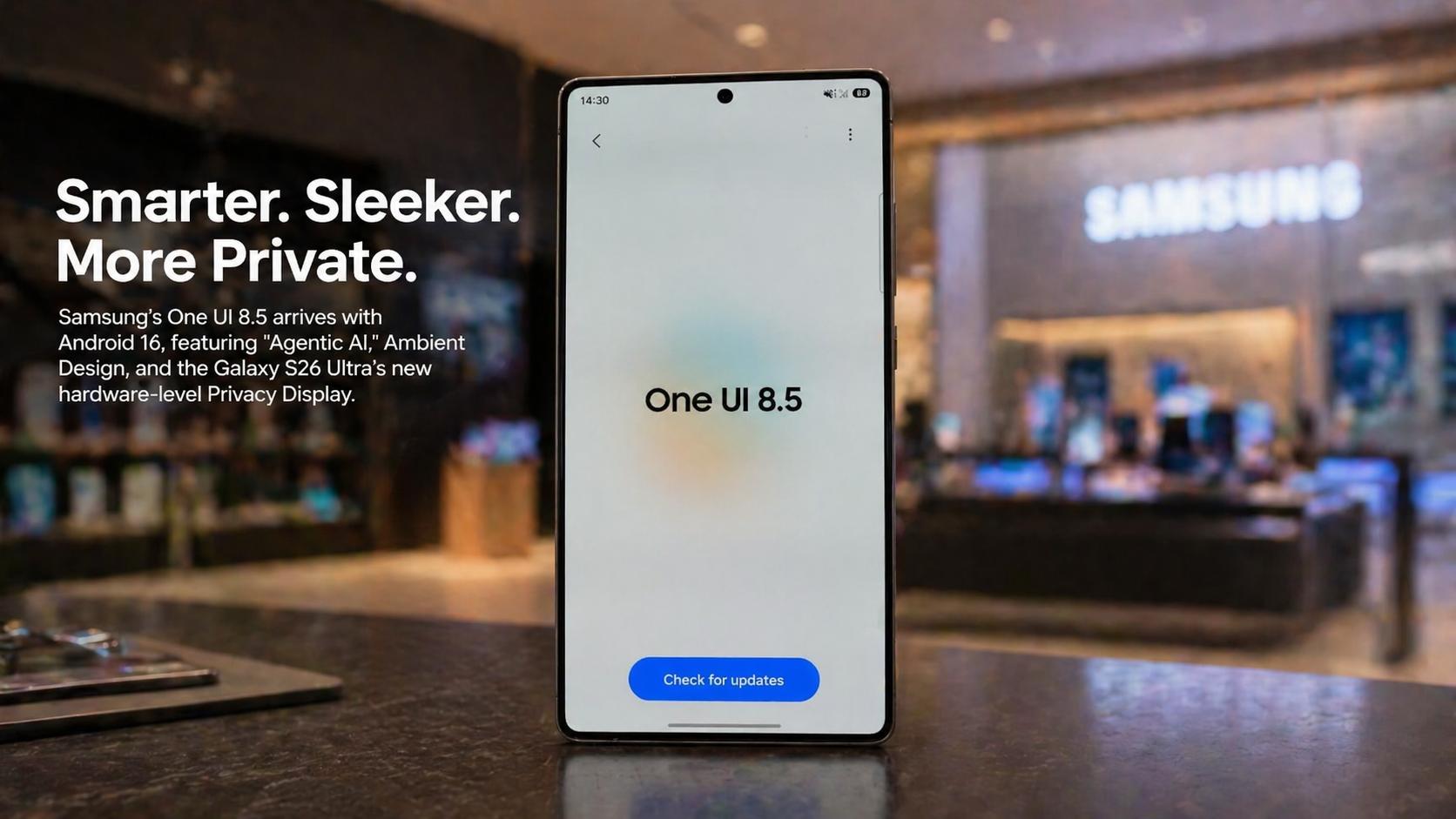
Samsung officially deployed the stable One UI 8.5 software update this week. This program began for Galaxy S25 users in South Korea on April 30. Meanwhile, global markets expect the update to arrive around May 4. Specifically, regions like Asia and Europe follow the initial Korean release.

The company concluded a rigorous five-month beta testing phase. Galaxy S25 series devices received ten distinct beta versions since December. Therefore, this represents the longest testing campaign in Samsung’s history. Samsung aims to ensure peak stability for all flagship users.
Specifically, the rollout includes the Galaxy S26 series with pre-installed software. The firm seeks to optimize the experience for nearly 100 devices. This software represents a major shift toward agentic AI living. Consequently, users will see the update reach many older models soon.
Release Roadmap
One UI 8.5 Global Expansion Strategy
Samsung representatives confirmed a phased rollout for international markets. This strategy targets a May 4 commencement date for the United States. Meanwhile, users in India and the United Kingdom will receive it shortly. The firmware carries a sequential distribution strategy for older models.
Major regional carriers must certify the software build before pushing it. Consequently, carrier-locked smartphones might experience a slight delay. Samsung aims to finish the primary global rollout by late June. This timeline ensures all current flagships operate with agentic tools.
Furthermore, the company will publish a detailed roadmap once the stable hit occurs. Analysts suggest this deliberate pace allows for superior capacity management. The technology giant seeks to avoid software fragmentation across its portfolio. Resultantly, mid-range Galaxy devices will join the pool in late May.
One UI 8.5 Strategic AI Objectives
Samsung’s strategic vision for 2026 focuses heavily on pervasive AI integration. The company aims to double its AI-enabled devices to 800 million. Consequently, executives declared 2026 an official AI-first year. This expansion includes smartphones, tablets, and smart home appliances.
Samsung intends to integrate these capabilities into every hardware category. Therefore, the firm leverages its Integrated Device Manufacturer advantage. T.M. Roh stated that AI systems will become widespread soon. This plan gives Google a major boost through partnership.
Specifically, Samsung uses Gemini architecture to enhance device functionality. The corporation wants to maintain its lead over Chinese competitors. Brand awareness for Galaxy AI rose significantly in one year. Resultantly, users actively use transcription and image generation tools.
AI Feature Engagement
Breakdown of daily user interactions with agentic AI tools in One UI 8.5.
Transitioning to Autonomous Agentic Computing
The software signifies a move beyond simple generative tools. Samsung focuses on autonomous agents that anticipate user needs. Meanwhile, the interface becomes a truly agentic companion. This evolution changes how users interact with their mobile hardware.
One UI 8.5 delivers more personalized and intuitive experiences. Therefore, the system understands text and speech simultaneously. Users can delegate multi-step workflows to their devices. These agents handle routine stuff before users even ask.
Consequently, the phone moves toward making life more seamless. Samsung describes this as a shift toward Truly Personal AI. The firm aims to enrich experiences and make life connected. Finally, this strategy centers on making the phone a wider lifestyle hub.
Underlying Android 16 and QPR2 Foundations
One UI 8.5 builds upon the Android 16 operating system. This version incorporates the latest Quarterly Platform Release updates. Furthermore, it utilizes a hybrid AI architecture for better performance. This foundation allows for deeper integration of intelligent background tasks.
The software adopts Android 16’s software-accelerated video codecs. Specifically, it supports APV for recording and playback. This base version provides a more finished aesthetic than stock Android. Therefore, Samsung delivers a feature-rich layer over the core platform.
Resultantly, the system handles complex on-device engines for latency-sensitive steps. Samsung combines cloud models with local processing units. This setup reduces vendor risk and optimizes component performance. Consequently, the OS remains responsive during intensive multitasking.
Ambient Design and the Visual Redesign Philosophy
One UI 8.5 introduces a major visual overhaul called Ambient Design. This redesign uses blur-based effects across the entire interface. Meanwhile, system elements blend better into the screen. This aesthetic direction focuses on a unified and polished look.
The status bar and navigation buttons now disappear during scrolling. Therefore, users enjoy a wider view with fewer distractions. Transparent blur effects add depth to receiving notifications. This design makes content much easier to navigate.
Specifically, floating elements react organically to user workflows. The refined design unifies lenses into a single feature. Samsung seeks to provide a personal and relatable user experience. Consequently, the interface looks sophisticated and modern.
System Fluidity and Animation Metrics
One UI 8.5 delivers impressive speed and fluency improvements. The software smoothed out animations and app transitions. Furthermore, touch interactions feel more responsive on new hardware. Samsung optimized the seventh beta for major system gains.
The Galaxy S26 Ultra feels faster than previous models. Therefore, app launches and menu jumps occur instantly. Streamlined animations focus on efficiency rather than just aesthetics. Users can move between menus with minimal delay.
Consequently, the overall experience remains snappy and immersive. Samsung prioritized functionality for productivity-focused users. The software demonstrates consistent performance even during heavy loads. Finally, the UI rendering benefits from generational hardware advantages.
Bixby Evolution and Perplexity AI Integration
Samsung transformed Bixby into a conversational AI agent. This upgrade utilizes Perplexity’s search-oriented model. Meanwhile, Bixby understands natural speech better than before. It fetches relevant information from the web in real time.
Users can ask Bixby almost any complex question. Therefore, they receive immediate answers within the native interface. Bixby can control smartphone settings using natural language commands. It understands intent without needing exact feature names.
Specifically, the assistant remembers conversation history and context. A new side panel allows for easy review of threads. Perplexity integration brings grounded citations to user queries. Consequently, Bixby serves as a true digital companion.
Now Nudge: Proactive Contextual Intelligence
One UI 8.5 introduces a feature called Now Nudge. This tool recognizes what is happening on the screen. Furthermore, it provides relevant suggestions and shortcuts. It analyzes text and image content in real time.
When messaging friends about dinner, it suggests calendar links. Therefore, users can jump straight to relevant apps. Now Nudge takes in context to suggest the next step. It works with Samsung and third-party messaging apps.
Specifically, this feature lays the foundation for agentic AI. It helps users focus simply on their tasks. Proactive experiences make everyday routines much faster. Consequently, the phone anticipates needs before users ask.
Now Brief: Personalized Daily Information Hub
The improved Now Brief provides more personalized updates. It reminds users of important events with timely messages. Meanwhile, it delivers briefings based on current situations. Users get weather and health data each morning.
The feature also supports audio briefs through Galaxy Buds. Therefore, users stay informed without looking at the screen. Now Brief learns from routines to adapt in real time. It suggests related actions for every scheduled event.
Notably, the system helps manage groceries and meal planning. It optimizes home energy use through the SmartThings app. Personal data intelligence must be enabled for these features. Consequently, life becomes much more connected for everyone.
Photo Assist and Generative AI Editing
Photo Assist makes editing images effortless through Galaxy AI. Users can move, resize, or delete objects easily. Furthermore, AI fills in gaps for a seamless look. It allows for studio-level edits using simple text prompts.
Edited images may be resized during the generation process. Therefore, Samsung adds a visible watermark to these files. Users can change the mood of any photo. This tool empowers creativity without needing advanced skills.
Specifically, the AI uses reference images to add props. It transforms vision into reality through user commands. This feature is built directly into the Gallery app. Consequently, users can create stunning social media content.
Creative Studio of One UI 8.5
Creative Studio allows users to transform sketches into images. It uses generative AI to change artistic styles. Meanwhile, users can create personalized sticker sets. This tool unifies creation and customization in one space.
The feature requires a network connection and Samsung account. Therefore, generation occurs quickly via cloud-based models. Users can turn ideas into vibrant wallpapers. It makes digital art accessible to all Galaxy users.
Resultantly, stickers can be shared via the Quick Share feature. The accuracy of generated output is not guaranteed. However, it offers a fun way to personalize chats. Consequently, Samsung continues to push the boundaries of mobile creativity.
Audio Eraser in One UI 8.5
Audio Eraser provides real-time background noise reduction. It separates voices, music, and noise instantly. Furthermore, it works during playback across third-party apps. This includes platforms like YouTube and Instagram.
Users can enhance dialogue clarity while watching videos. Therefore, they filter out distractions in just a few taps. This “sleeper feature” cleans up audio like a charm. It helps users focus on what they want to hear.
Specifically, the tool is useful for content creators. It improves audio quality without needing external software. Audio Eraser leverages the on-device NPU for efficiency. Consequently, Samsung delivers professional-grade sound management to mobile.
Spam Prevention Defense of One UI 8.5
Call Screening answers unknown calls on your behalf. It displays a quick text preview of the caller. Meanwhile, users can decide whether to pick up. The system can end spam and scam calls automatically.
This feature makes daily calling safer and less disruptive. Therefore, it protects users from potential telemarketing fraud. AI call screening provides real-time transcription of conversations. It helps users avoid interruptions during busy hours.
Specifically, users can answer calls at any time. The text preview appears directly on the screen. This tool helps manage communications with high efficiency. Consequently, mobile users regain control over their telephone experience.
The Hardware-Based Privacy Display Innovation
The Galaxy S26 Ultra features the first Privacy Display. This hardware-level feature limits screen viewing angles. Furthermore, it turns off pixels viewed from wide angles. It prevents others from seeing your sensitive information.
Users can activate it for specific bank apps. Therefore, they stay safe from “peeping Toms” in public. The feature toggles through the quick settings panel. It can also trigger when notifications appear.
Specifically, this technology uses Flex Magic Pixel hardware. Maximum privacy protection options are available in settings. Some changes in image quality might occur. Consequently, the S26 Ultra sets a new privacy standard.
Impact of Privacy Display on User Experience
Activation of Privacy Display reduces peak brightness significantly. However, it does not affect performance when disabled. Meanwhile, it remains effective during public transport commutes. Users in major cities report positive feedback.
The feature cannot be backported to older devices. Therefore, it remains a flagship exclusive for now. It is hardware dependent on the S26 Ultra display. The anti-glare coating might vary when active.
Specifically, it limits peripheral vision using specialized pixels. Users must exercise caution with highly sensitive data. It unifies productivity with an uncompromising security balance. Consequently, Samsung addresses a critical niche for business users.
Knox Matrix 2.0 and the Trust Chain Network
One UI 8.5 expands the Knox Matrix architecture. This blockchain-based system creates a cross-device trust network. Furthermore, connected devices can monitor each other’s status. Knox Matrix shows when software updates are needed.
Devices check on one another to isolate potential threats. Therefore, users enjoy a unified defense shield. Security status is now visible for all signed-in devices. This technology provides safety across the entire ecosystem.
Specifically, it protects smartphones, TVs, and home appliances. Trust Chain technology ensures cross-platform identity security. Samsung stores biometric hash values in secure enclaves. Consequently, the Galaxy ecosystem remains a digital fortress.
Post-Quantum Cryptography in Galaxy Ecosystems
Samsung is implementing Post-Quantum Cryptography within Knox Matrix. This stays ahead of threats from future quantum computers. Meanwhile, PQC is applied to the latest AI appliances. It protects sensitive data throughout its entire lifecycle.
Current encryption algorithms may eventually become vulnerable. Therefore, Samsung proactively adopts new cryptographic standards. PQC ensures long-term security for personal information. It is a core domain of UL Diamond verification.
Specifically, the system protects against future decryption attempts. Samsung considers data protection during the production phase. This innovation covers appliances with AI Home screens. Consequently, the brand maintains its lead in security certification.
Theft Protection in One UI 8.5
One UI 8.5 includes advanced Theft Protection systems. The Failed Authentication Lock automatically secures the screen. Furthermore, it triggers after too many incorrect attempts. It protects PINs, passwords, and biometric data.
Identity checks now protect even more system settings. Therefore, data remains safe if a phone is stolen. The feature requires authentication to toggle it off. It works alongside Android 16’s core security tools.
Specifically, Knox Guard protects lost or stolen hardware. It can lock devices even without network connections. A factory reset won’t disable these protections. Consequently, Samsung provides an inexpensive option for enterprise safety.
Auto Blocker in One UI 8.5
Auto Blocker prevents the sideloading of unknown apps. Users can now pause it temporarily for thirty minutes. Meanwhile, it reactivates automatically to ensure protection. This prevents users from forgetting to re-enable it.
The Permission Manager provides control over sensitive functions. Therefore, users get alerts when data is at risk. Privacy Alerts identify apps overusing location information. Samsung hardware blocks unauthorized background access.
Specifically, Knox DualDAR double-encrypts work profile data. This satisfies the requirements of sensitive government agencies. Real-time kernel protection inspects the OS during runtime. Consequently, One UI 8.5 offers an uncompromising security layer.
One UI 8.5 Ecosystem for Windows
Samsung launched Galaxy Connect for all Windows 11 PCs. This app bridges the gap between devices. Meanwhile, it is no longer locked to Galaxy Books. Users can access the cross-device ecosystem instantly.
Universal copy and paste works for images and text. Therefore, users move content with a simple flow. Mobile devices appear inside Windows File Explorer. This allows direct access to files without cables.
Specifically, Multi Control uses one mouse for all devices. Web sessions can be picked up on PCs. Samsung seeks to remove barriers to ecosystem lock-in. Consequently, Galaxy devices become more attractive to PC users.
AirDrop Support in Quick Share Integration
One UI 8.5 introduces AirDrop support through Quick Share. This enables cross-platform sharing with Apple devices. Furthermore, it requires specific app and service versions. The feature is currently on select flagship models.
Users must set Apple devices to “everyone” mode. Therefore, file transfers become seamless between the ecosystems. Quick Share avoids unwanted sharing requests by default. It handles high-resolution video and photos easily.
Specifically, this collaboration bridges the Android-Apple gap. Samsung brings AirDrop support starting with S26 models. It is a major strategic correction for the company. Consequently, users enjoy more freedom in multi-brand households.
Samsung Browser for Windows and Continuity
Samsung Browser for Windows officially launched this week. It extends the popular mobile experience to PCs. Meanwhile, it offers seamless cross-device continuity for users. You can pick up browsing exactly where you stopped.
Synchronization includes bookmarks and browsing history. Therefore, users manage tabs efficiently across platforms. The browser includes new agentic AI capabilities. It understands natural language and page context.
Specifically, it can create travel plans from webpages. AI summarizes multiple tabs in just seconds. Perplexity integration provides grounded information without searching. Consequently, the browsing experience is more intuitive than ever.
One UI 8.5 for Foldable Displays
One UI 8.5 brings smarter multitasking to Z Fold devices. Users can run up to three split-screen apps. Furthermore, they can convert apps to pop-up windows. This maximizes the potential of the large main screen.
App pairs can be saved to the Edge panel. Therefore, users launch multiple apps in one tap. Dragging files between windows is faster and more fluid. Flex mode keeps apps active when folded halfway.
Specifically, the Taskbar allows for quick app switching. Users can drag URLs directly into messages. A two-finger swipe moves current apps into split mode. Consequently, productivity on foldable hardware reaches new heights.
Taskbar and Edge Panel Customization Evolution
The Edge panel now allows for easier editing. Users can add most-used apps to the tray. Meanwhile, they can rearrange icons using the pencil tool. The tray reveals all compatible apps in one grid.
Dragging an app to the center opens pop-up view. Therefore, users move windows to their liking. A blue divider allows for resizing split screens. This layout provides a personal touch to the workspace.
Specifically, the Taskbar supports immediate drag and drop. Foldable users rely on the inner display more often. Multi Control allows for a single keyboard across devices. Consequently, the interface adapts perfectly to professional workflows.
Snapdragon 8 Elite Gen 5 Performance Metrics
The Galaxy S26 Ultra features a customized Qualcomm chipset. This Snapdragon 8 Elite Gen 5 uses 3nm process. Furthermore, it delivers impressive speed and fluency gains. CPU and GPU performance see double-digit increases.
The chip powers the latest agentic AI capabilities. Therefore, animations and touch responses feel incredibly snappy. A redesigned vapor chamber supports stable thermal management. High-performance seekers find it the most versatile model.
Specifically, it handles multimodal AI agents with ease. Synthetic benchmarks show leading scores in multi-core tests. Gaming performance remains superior with faster load times. Consequently, the S26 series sets a flagship standard.
Efficiency Benchmarks
Performance gain compared to One UI 8.0 baseline (100%).
2nm Exynos Architecture and Foundry Strategy
Samsung is mass producing the Exynos 2600 chip. This processor uses an advanced 2nm fabrication node. Meanwhile, it powers the base Galaxy S26 models worldwide. It features a 10-core architecture for multitasking.
The chip handles day-to-day usage like a pro. Therefore, AI tasks remain brisk and efficient. Samsung foundry targets high yield for regional parity. Vertical integration remains a defensible edge for the brand.
Specifically, the Xclipse 960 GPU provides solid graphics. Exynos variants trail Snapdragon slightly in battery life. However, the 2nm process helps manage thermal strategy. Consequently, the S26 remains a refined compact flagship.
Thermal Stability Matrix
3D WebGL Visualization: One UI 8.5 (Pink) clusters demonstrate superior heat management under sustained load.
Battery Management of One UI 8.5
Galaxy S26 Ultra maintains a 5000mAh battery capacity. It now supports 60W wired super-fast charging. Meanwhile, wireless charging reaches 25W on Qi2 pads. It charges to sixty-nine percent in thirty minutes.
One UI 8.5 features a revamped battery info page. Therefore, users see their usage patterns more clearly. Improved Power Saving mode offers customizable limits. Maximum mode turns off all non-essential features.
Specifically, the S26 Ultra averages eight hours of SOT. This is a slight improvement over last generation. Charging speed is significantly improved for modern standards. Consequently, users can go all day without stress.
APV Codec for Professional Video Standards
The S26 Ultra introduces the professional APV codec. This royalty-free standard is nearly lossless after edits. Furthermore, it supports HQ and LQ recording profiles. It is designed for high-end video production.
Recording at 4K consumes significant internal storage space. Therefore, the 1TB model is ideal for professionals. The Gallery app can convert APV to HEVC. This ensures better compatibility on non-Samsung devices.
Specifically, hardware-accelerated APV is exclusive to the Ultra. Standard models only support software-accelerated versions. Video recording also features a 360-degree horizontal lock. Consequently, the camera system is the most brightest yet.
Audio Broadcast and Auracast Microphone Support
Enhanced Auracast features allow for easier audio broadcasting. Users can broadcast their voice via the microphone. Meanwhile, options are located in a new broadcast menu. It supports sharing media sound with those nearby.
This feature is ideal for group listening sessions. Therefore, multiple people can hear the same stream. The update also brings Hi-Res Audio support. It helps block out noise during personal listening.
Specifically, the interface simplifies connecting to Bluetooth devices. Users can manage hearing programs directly from settings. Bluetooth stability has been improved to prevent crashes. Consequently, the audio experience is more fluid than ever.
Connected Care and the Xealth Acquisition
Samsung’s Connected Care vision is a major focus. The acquisition of Xealth in 2025 strengthened this. Meanwhile, health metrics integrate across the entire ecosystem. Samsung Health offers proactive and personalized management.
Clinicians can prescribe digital care directly to patients. Therefore, monitoring occurs through a network of hospitals. The system uses agentic AI to analyze activity. It provides deeper insights into daily wellness scores.
Specifically, it tracks activity consistency and heart rates. New antioxidant measurements are available on Galaxy Watches. Users can start meditations directly from their wrist. Consequently, Samsung leads in proactive continuous health technology.
Galaxy Watch8 and Health Tracking Innovations
Galaxy Watch8 series offers personalized insights for runners. It tracks sleep and mindfulness at a detailed level. Furthermore, antioxidant measurements work even when not connected. The watch integrates seamlessly with the mobile AI.
Users find calm right from their wrist sensors. Therefore, they get a full breakdown of energy. Energy Score analyzes activity using the latest algorithms. This data stays protected within the hardware vault.
Specifically, the watch monitors daily select situational information. It helps users understand their physical limits. Watch8 is part of the 2026 innovation lineup. Consequently, wellness becomes a standard part of Galaxy living.
Accessibility Improvements of One UI 8.5
One UI 8.5 includes many new accessibility features. Bluetooth hearing aid controls are now easier to find. Meanwhile, users manage programs from the accessibility shortcut. Ambient sound toggles are available in one tap.
Magnification now follows the cursor as you type. Therefore, users keep important details in their view. Dwell actions trigger custom movements for mouse pointers. Corner actions set different triggers for screen edges.
Specifically, haptic feedback is now tighter and punchier. The haptics rival Apple’s Taptic Engine in responsiveness. Multi-touch errors after using zoom have been fixed. Consequently, Samsung ensures a reliable touch for all users.
Sustainability and the Ocean Mode Initiative
Samsung earned high spots on innovative company lists. The company co-developed Ocean Mode with marine scientists. Meanwhile, it supports coral reef monitoring and restoration. This feature debuts with the Galaxy S26 series.
Innovation also extends to the connected smart home. Therefore, AI Energy Mode helps households reduce consumption. Samsung uses circular design initiatives for new products. Energy-efficient appliances help lower monthly utility costs.
Specifically, Bespoke refrigerators suggest meals to reduce waste. Samsung invests in the next generation of innovators. STEM programs empower students to solve community challenges. Consequently, technology drives meaningful progress for the planet.
Samsung One UI 8.5 vs. Apple iOS 26
Samsung One UI 8.5 outperforms iOS 26 in speed. Boot-up times are significantly faster on the S25. Furthermore, navigating through animations feels more streamlined. iOS focuses on polished transitions and visual aesthetics.
App launch speeds remain consistent and very reliable. Therefore, power users prefer the Galaxy multitasking experience. Samsung leads in RAM management for active tasks. iOS can occasionally feel slower during specific interactions.
Specifically, Galaxy folders show up to nine apps. Apple’s platform emphasizes a more cohesive software ecosystem. Both platforms excel in their respective target areas. Consequently, users choose based on performance versus aesthetics.
Comparison with Google Pixel UI 2026
Samsung and Google software seem closer than ever. Google appeared on stage during the Unpacked event. Meanwhile, Samsung managed to release thinner, lighter hardware. Pixel UI is more accurately Google’s own vision.
Pixels are often seen as more user friendly. Therefore, minimalist fans might prefer the cleaner interface. One UI offers way more customization options. It lacks the “bloatware” feel of previous generations.
Specifically, Samsung Dex remains a unique performance differentiator. Galaxy AI awareness rose to eighty percent recently. Pixels reset standards for deep or rich features. Consequently, both brands provide amazing experiences for Android fans.
Browser Agentic AI and Perplexity Search in One UI 8.5
Samsung Browser now includes an AI-powered assistant. It brings agentic AI directly into the experience. Meanwhile, it understands the context of the viewed page. This assistant manage tabs and browsing history easily.
Users can ask the browser for travel plans. Therefore, they get key insights from various sources. Perplexity integration provides up-to-date information in real time. It retrieves details without switching to a search app.
Specifically, it finds specific moments within video content. History searches now use natural language instead of keywords. This feature is currently supported in the United States. Consequently, the web becomes more intuitive for Galaxy users.
Quick Panel and Lock Screen Customization
One UI 8.5 allows for a fully customizable panel. Users can move, add, or resize various toggles. Meanwhile, the lock screen offers more clock styles. Clock fonts can now have adjustable thickness.
Wallpapers are positioned to avoid overlapping with widgets. Therefore, the screen looks pleasant and well organized. Automatic lock screen layouts fit people and pets perfectly. Users can add shortcuts to mirror screens instantly.
Specifically, weather alarm backgrounds reflect current daily conditions. Enhanced widgets show graph data for upcoming precipitation. Intuitive menus help users find features much faster. Consequently, the interface is both smart and aesthetically pleasing.
Samsung Notes and OneNote Sync Changes
Samsung Notes OneNote sync is ending in July. Starting in August, notes will no longer flow. Meanwhile, users have about two months to migrate. They can switch to using the OneNote app.
Users can also download the Samsung Notes app. Therefore, they maintain access through the Windows Microsoft store. Official support is only for Galaxy Book devices. Some users report stability issues on other hardware.
Specifically, cross-device sync will run through Samsung Cloud. Samsung offered no public explanation for this decision. This arrangement formerly gave a passive bridge for users. Consequently, workflows must adapt to the new split apps.
Industrial AI: Driven Factories of 2030
Samsung is transitioning factories into AI-driven environments. The goal is a next-generation autonomous production cycle. Meanwhile, digital twin simulations optimize every global site. Specialist AI agents handle quality control and logistics.
Humanoid robotics will progressively introduce to production lines. Therefore, industrial AI enhances both safety and efficiency. The strategy embeds safety mechanisms from initial stages. It aims for operational resilience across the value chain.
Specifically, specialized agents work independently based on reasoning. This software-centric approach empowers operators to scale services. Samsung is leading the charge in software-driven networks. Consequently, manufacturing enters a fully autonomous era.
Conclusion on One UI 8.5 Update
One UI 8.5 signifies the peak of personal AI. Samsung successfully integrated agentic assistants into everyday mobile life. Meanwhile, the 800 million device goal remains on track. Hardware and software roadmaps are now perfectly synchronized.
Users experience a truly seamless and trusted companion. Therefore, technology anticipates needs before they are stated. The S26 series sets a new flagship standard. Security and privacy remain the core ecosystem pillars.
Specifically, Samsung continues to push the boundaries of innovation. The Integrated AI Lifestyle becomes a reality for millions. 2026 marks the official year of AI dominance. Consequently, Galaxy users enjoy a smarter and connected future.
| Specification | Galaxy S26 Ultra | Galaxy S26+ | Galaxy S26 |
| Display Size | 6.9 inches | 6.7 inches | 6.3 inches |
| Processor | SD 8 Elite Gen 5 | Exynos 2600 | Exynos 2600 |
| Wired Charge | 60W | 45W | 25W |
| Main Camera | 200MP (f/1.4) | 50MP (f/1.8) | 50MP (f/1.8) |
| Battery | 5000 mAh | 4900 mAh | 4300 mAh |
| Privacy Display | Supported | Not Supported | Not Supported |
| Rollout Wave | Estimated Date | Participating Devices |
| Wave 1 | April 30, 2026 | Galaxy S25 Series, S26 Pre-installed |
| Wave 2 | May 4, 2026 | Galaxy S24 Series, Z Fold 6, Z Flip 6 |
| Wave 3 | Late May 2026 | Galaxy S23 Series, Z Fold 5, Z Flip 5 |
| Wave 4 | June 2026 | Galaxy A56, A36, A55, M and F Series |
One UI 8.5 represents more than a simple update. It is the wider delivery vehicle for Android 16. Consequently, users across all tiers enjoy advanced agentic tools. Samsung bridges the gap between hardware and intelligence perfectly. This release confirms the company’s dominance in the global market. Therefore, the Galaxy experience remains the smartest choice for 2026.



Leave a Reply