

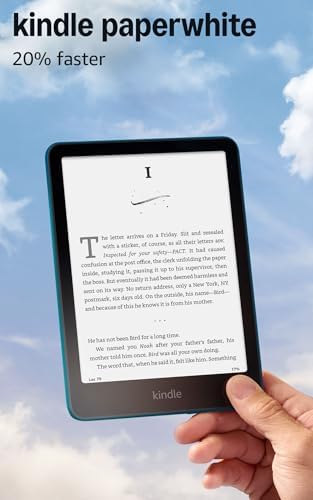
- Our fastest Kindle Paperwhite ever – The next-generation 7“ Paperwhite display has a higher contrast ratio and 25% faste…
- Ready for travel – The ultra-thin design has a larger glare-free screen so pages stay sharp no matter where you are.
- Escape into your books – Your Kindle doesn’t have social media, notifications, or other distracting apps.

- 𝗕𝗥𝗢𝗪𝗦𝗘 𝗔𝗡𝗗 𝗥𝗘𝗔𝗗 𝗘𝗕𝗢𝗢𝗞𝗦 𝗜𝗡 𝗙𝗨𝗟𝗟 𝗖𝗢𝗟𝗢𝗨𝗥 – Read in colour with a 6” E Ink Kaleido 3 display to enjoy eBook covers, comics, …
- 𝗡𝗢 𝗠𝗢𝗥𝗘 𝗛𝗨𝗡𝗧𝗜𝗡𝗚 𝗙𝗢𝗥 𝗛𝗜𝗚𝗛𝗟𝗜𝗚𝗛𝗧𝗘𝗥𝗦 – With multiple colours available at the touch of a finger, you can highlight your eBoo…
- 𝗬𝗢𝗨𝗥 𝗘𝗬𝗘𝗦 𝗪𝗜𝗟𝗟 𝗧𝗛𝗔𝗡𝗞 𝗬𝗢𝗨 – ComfortLight PRO automatically reduces blue light throughout the day, and you can personalize…
Industry Overview and Market Position
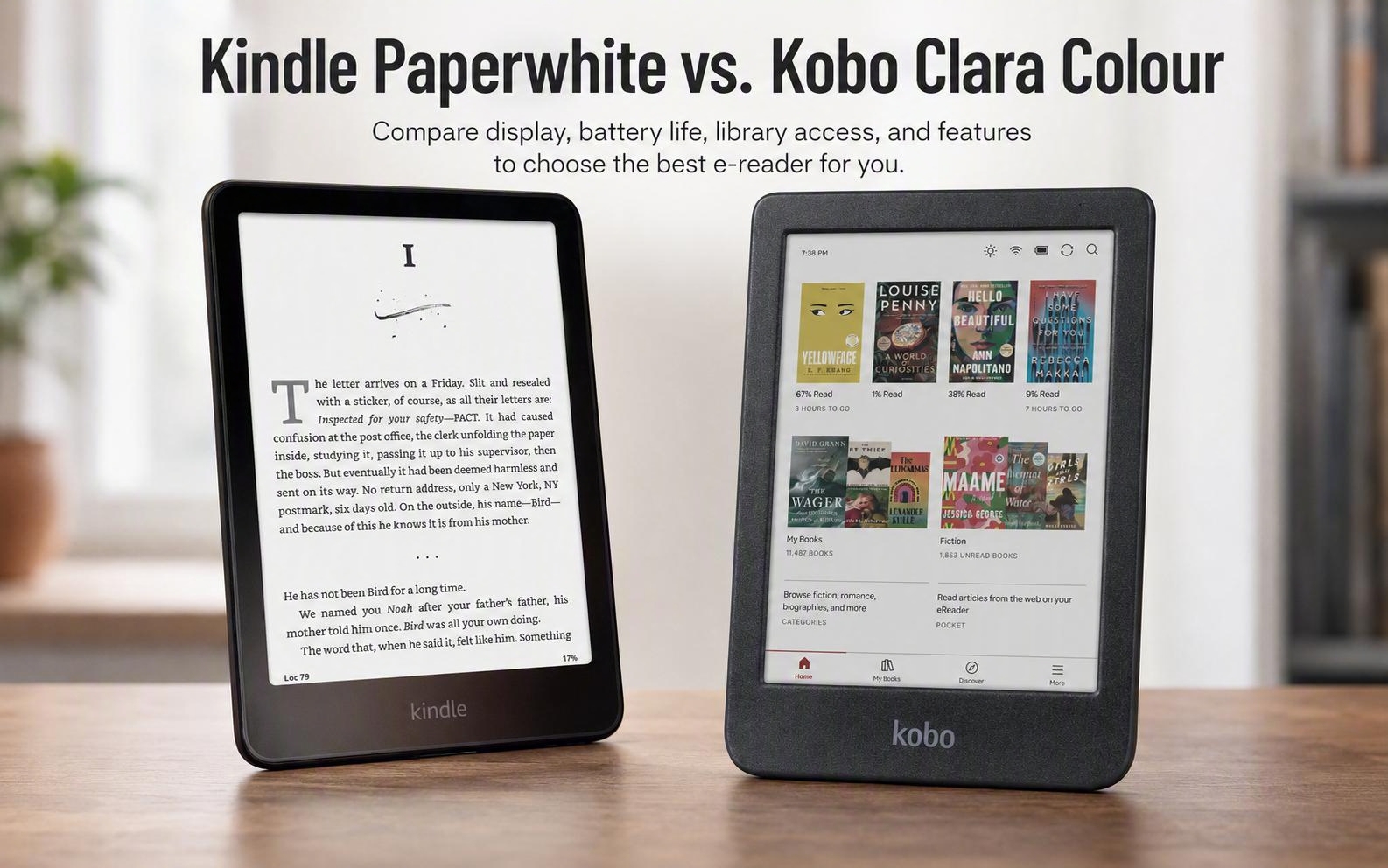
The ongoing debate over Kindle Paperwhite vs. Kobo Clara Colour highlights significant shifts in digital reading technology. Amazon recently updated its Paperwhite hardware with faster processing and an expanded display panel. Consequently, Rakuten Kobo countered by introducing an affordable compact color display for mainstream readers. E-reader consumers now demand specialized hardware tailored to distinct digital reading preferences. Modern devices offer distinct technological advantages across various reading formats and environments. Therefore, understanding technical specifications helps prospective buyers choose the best device for their needs.
Amazon focuses heavily on monochrome screen clarity and rapid page animation speeds. Conversely, Kobo delivers colorful book covers alongside direct public library ebook integration. Both manufacturers reflect evolving consumer expectations within the competitive digital publishing ecosystem. Each device addresses specific reader habits across diverse digital file types. Furthermore, pricing parity makes software features a decisive factor in buyer choices. Market competition continues to drive meaningful innovations across the digital reading industry.
Kindle Paperwhite vs. Kobo Clara Colour: Display Performance
Screen technology represents the primary hardware distinction between these two modern devices. The 12th generation Kindle Paperwhite features a 7-inch E Ink Carta 1300 display. Specifically, this monochrome panel renders text at 300 pixels per inch resolution. Amazon claims page turns operate roughly 20 percent faster than previous hardware generations. High contrast levels reduce glare under bright sunlight and intense indoor lighting. Additionally, adjustable warm lighting helps prevent eye strain during late night reading sessions. Uniform illumination creates a comfortable reading experience across various environmental conditions.
In contrast, the Kobo Clara Colour utilizes a 6-inch E Ink Kaleido 3 color panel. It displays black and white content at 300 pixels per inch. Color images render at 150 pixels per inch across book covers and graphic illustrations. Meanwhile, the underlying color filter array slightly reduces background screen contrast. High pixel density maintains rich color tones despite the reduced color resolution limit. Novel readers seeking maximum background brightness often prefer dedicated monochrome screens. As a result, display choice depends on whether users prioritize color or text contrast.
Display Performance
Comparing screen technology, resolution, and color capabilities.
Ergonomics, Portability, and Build Quality
Physical dimensions heavily influence daily handheld reading comfort and long distance travel convenience. Indeed, the Kobo Clara Colour maintains a lightweight body measuring 6.3 by 4.4 inches. It weighs only 6.1 ounces, enabling comfortable single-handed operation for extended periods. A raised bezel surrounding the screen effectively reduces direct overhead light reflections. In addition, Kobo constructs the plastic body casing using up to 85 percent recycled materials. Compact dimensions fit easily into small bags or jacket pockets for daily commuting. Non-slip textured surfaces provide a secure grip during active daily movement.
The Kindle Paperwhite features a sleek flush-front screen measuring 7.0 by 5.0 inches. It weighs 7.4 ounces, providing a larger viewing area for digital text. Thus, users gain expanded screen space while accepting a slightly heavier footprint. Both devices carry IPX8 waterproof ratings for safe usage near water. Nevertheless, Kobo distinguishes itself by providing official iFixit hardware repair kits. Modular replacement batteries and screen kits extend overall device durability over time. Repairability gives environmentally conscious consumers a compelling reason to choose Kobo.
Portability & Build Quality
Evaluating physical dimensions, weight, and hardware longevity.
Ecosystem Flexibility and Public Library Access
Digital rights management and file support dictate long-term satisfaction for e-reader owners. Amazon links the Kindle Paperwhite directly to its expansive commercial bookstore platform. The device natively formats proprietary files while converting standard EPUB documents via cloud tools. Base models include lock screen advertisements unless buyers pay an extra removal fee. Unlimited cloud storage automatically backs up purchased book collections without storage limits. Moreover, Amazon offers extensive audiobook integration through its Audible platform. Seamless synchronizations keep reading progress updated across multiple mobile applications.
Alternatively, Kobo supports open book formats including EPUB, PDF, CBZ, and CBR files. Built-in OverDrive software allows direct public library ebook borrowing on the device. Readers can download local library ebooks without using external computer transfers. Accordingly, library patrons frequently choose Kobo hardware for its frictionless borrowing workflow. Sideloading personal document collections remains simple due to unrestricted native file compatibility. Broad file support accommodates comic books and personal PDF document collections with ease. For instance, open ecosystem features appeal to users who dislike vendor lock-in.
Performance Metrics and Technical Specifications
Analyzing technical specifications side by side clarifies major hardware distinctions for prospective buyers. Display dimensions directly affect reading density and page turning frequency during daily use. In particular, battery capacities vary significantly between color and monochrome display panels. The comparative table below summarizes core hardware parameters across both leading models. Clear specifications help buyers align hardware traits with their personal reading habits. Overall, direct parameter comparisons reveal the distinct design focus of each company.
| Feature / Specification | Amazon Kindle Paperwhite (12th Gen) | Kobo Clara Colour |
| Display Size | 7.0 inches | 6.0 inches |
| Display Type | E Ink Carta 1300 (Monochrome) | E Ink Kaleido 3 (Color) |
| Resolution | 300 ppi | 300 ppi (B&W) / 150 ppi (Color) |
| Base Storage Capacity | 16 GB | 16 GB |
| Battery Endurance | Up to 12 weeks | Up to 6 weeks (42 days) |
| Device Weight | 7.4 oz / 211 g | 6.1 oz / 174 g |
| Waterproof Rating | IPX8 | IPX8 |
| Public Library Access | Limited / Amazon ecosystem | Native OverDrive / Libby |
| Hardware Repairability | Standard factory service | User-repairable via iFixit |
| Starting Price | $159.99 USD | $149.99 – $159.99 USD |
Technical parameters demonstrate distinct engineering choices tailored to specific reader priorities. Simultaneously, consumers who prefer color book covers sacrifice some viewing area. Readers requiring maximum monochrome battery life gain significant advantages from Amazon hardware. In comparison, public library users benefit immensely from Kobo’s integrated borrowing system. Internal storage capacities offer ample room for thousands of standard text documents. Hence, hardware selection depends entirely on individual content choices and feature priorities.
Battery Longevity and Final Value
Battery stamina differs sharply between monochrome and color display technologies. The Kindle Paperwhite lasts up to twelve weeks on a single battery charge. Amazon optimized power consumption through efficient monochrome screen refresh cycles. On the contrary, the Kobo Clara Colour delivers up to six weeks of operational stamina. Driving color filter layers requires brighter frontlight levels during active reading sessions. Bluetooth audiobook playback further reduces total battery runtime on both portable e-readers. Power management settings help users maximize device operation between USB-C charges.
Ecosystem & Value
Battery endurance, storage, library access, and retail price.
-
💾 Storage16 GB
-
🔋 Battery EnduranceUp to 12 weeks
-
🛒 Library AccessAmazon Ecosystem
-
💲 Starting Price$159.99 USD
-
💾 Storage16 GB
-
🔋 Battery EnduranceUp to 6 weeks
-
📚 Library AccessNative OverDrive
-
💲 Starting Price$149.99 – $159.99
Retail prices for both base models sit near the 160 dollar price point. In fact, deciding between these units comes down to display type and software preferences. Novel purists who demand maximum contrast and long battery life should choose the Paperwhite. On the other hand, readers wanting colorful book covers and public library access will love the Clara Colour. Each platform delivers excellent features designed for modern digital reading requirements. Market choice enables consumers to select hardware that fits their unique reading habits. Ultimately, both devices deliver outstanding overall value for digital book enthusiasts.
Support Our Work
Help us keep creating and maintaining our projects. We appreciate your support!
Ways to contribute:
Shop via Affiliate LinksSupport us at no extra cost to you while you shop.
Support on Ko-fiBuy us a coffee to keep the engine running!

Leave a Reply