
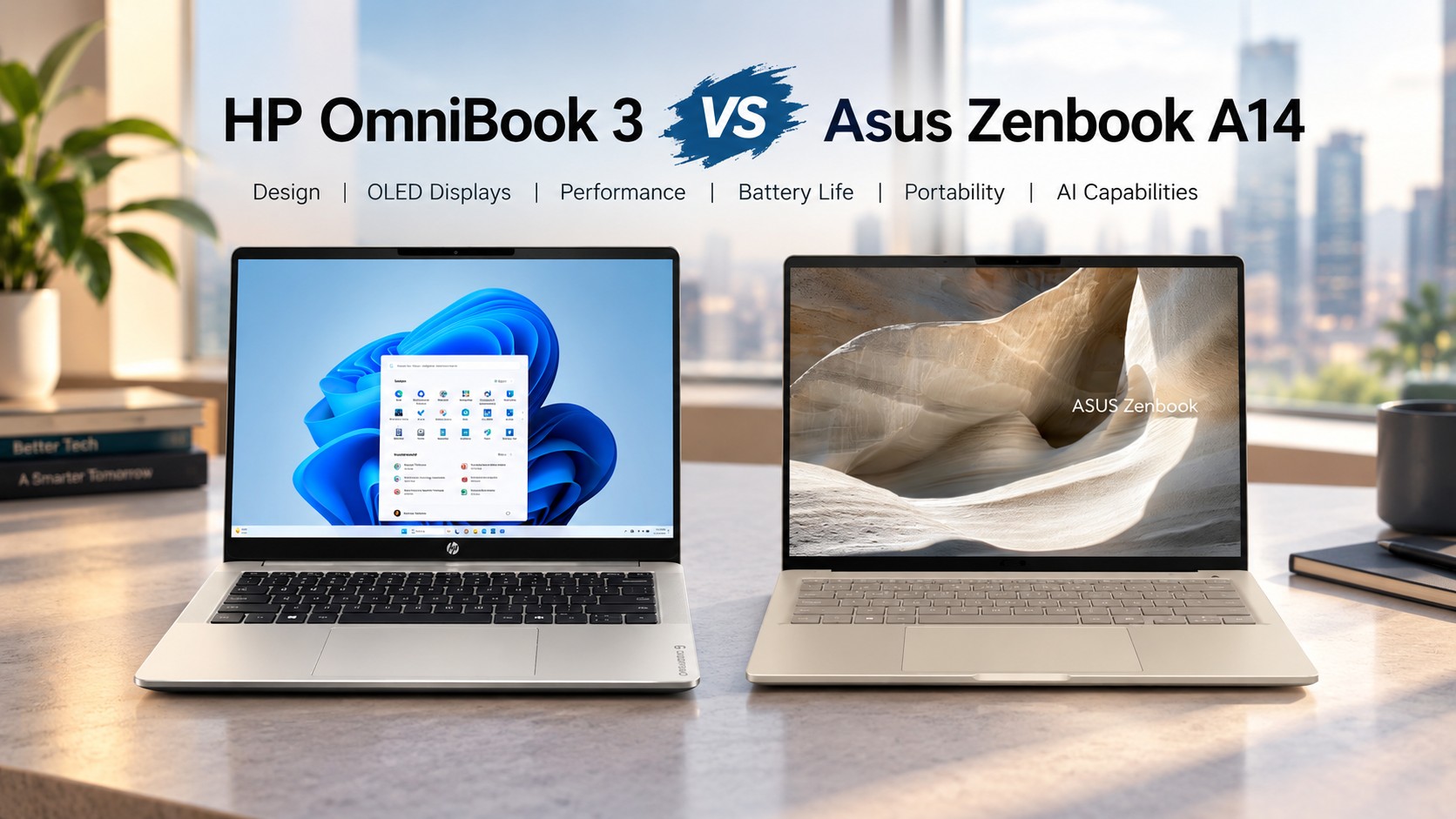


- VIBRANT 14.0″ FHD+ OLED DISPLAY – 14.0-inch FHD+ OLED display delivers sharp detail, vivid colors, and deep contrast for…
- RESPONSIVE SNAPDRAGON X PROCESSOR – Powered by the Snapdragon X X1-26-100 processor, delivering responsive performance a…
- AMPLE MEMORY & STORAGE – 32GB LPDDR5X memory enables smooth multitasking and responsive performance; 2TB total storage (…

- [SNAPDRAGON X AI PERFORMANCE] Powered by the Snapdragon X 8-Core processor (X1-26-100) and a dedicated 45 TOPS NPU, this…
- [2K IPS TOUCHSCREEN DISPLAY] The 14-inch 2K (1920 x 1200) IPS touchscreen features a 16:10 aspect ratio and 300 nits bri…
- [HIGH SPEED MEMORY & STORAGE] Equipped with 16GB LPDDR5x onboard memory and a fast 1TB PCIe Gen4 NVMe M.2 SSD, this lapt…
Market Trends in AI Ultraportables
Tech shoppers closely compare the HP OmniBook 3 vs. Asus Zenbook A14 when choosing new laptops. Furthermore, both tech giants recently updated their product lines with neural processing units. These thin computers process artificial intelligence workloads directly on local hardware. Consequently, buyers can enjoy improved performance without relying entirely on cloud servers.
PC makers are replacing older budget series with specialized AI hardware ranges. Specifically, HP positions its latest line to replace legacy Pavilion laptops. Asus targets mobile users who demand maximum portability alongside premium displays. Each design strategy reflects a unique approach to modern personal computing.
- Replaces legacy Pavilion series
- Budget-conscious value focus
- Optimized for home office setups
- Targets highly mobile users
- Maximum portability engineering
- Premium mobile workstation
Evaluating the HP OmniBook 3 vs. Asus Zenbook A14 Design
Asus pushes ultraportable engineering boundaries with extremely lightweight materials. Meanwhile, the Zenbook A14 weighs under one kilogram for effortless daily travel. The slender chassis measures under sixteen millimeters thick across its profile. In contrast, HP builds the OmniBook 3 with a slightly heavier frame. The OmniBook 3 weighs roughly 1.47 kilograms in its standard format.
Both manufacturers include full keyboards that offer backlit keys for night typing. Additionally, port selections differ notably between these two competing models. Asus provides modern USB4 ports alongside a full-sized HDMI 2.1 connector. HP relies on versatile Type-C ports plus conventional Type-A slots.
Visual Capabilities and Display Technology
Screen quality remains a primary factor for workers purchasing a modern notebook. Notably, Asus equips the Zenbook A14 with a brilliant 2K OLED screen. This panel reaches six hundred nits of peak brightness for vibrant visuals. Creators receive full sRGB color accuracy for detailed photo editing tasks.
Conversely, HP delivers diverse display options across its OmniBook 3 catalog. Buyers can choose between budget IPS screens and sharp OLED configurations. Base IPS panels feature glare reduction but limited color gamut coverage. Therefore, customers should verify exact screen specs before making final purchases.
Hardware Specifications and Component Comparison
Hardware configurations determine how smoothly these machines execute everyday applications. Thus, reviewing internal silicon choice helps clarify real-world capabilities. Users must balance raw processing speed against local energy consumption needs.
| Specification Parameter | HP OmniBook 3 (14-inch) | Asus Zenbook A14 (UX3407) |
| Processor Options | Qualcomm Snapdragon X / AMD Ryzen / Intel Core Ultra | Qualcomm Snapdragon X / X Plus / X2 Elite |
| Display Type | 14.0″ IPS or OLED (1920 x 1200) | 14.0″ OLED (1920 x 1200) |
| Peak Brightness | 300 nits (IPS) / Higher on OLED | 600 nits (HDR) |
| System Memory | 8 GB / 16 GB / 32 GB LPDDR5x | 16 GB / 32 GB LPDDR5x |
| Chassis Weight | 1.47 kg (3.24 lbs) | 0.90 – 0.98 kg (1.98 – 2.16 lbs) |
| Battery Capacity | 60 Wh | 70 Wh |
| Wireless Standard | Wi-Fi 6E / Wi-Fi 7 | Wi-Fi 7 |
System memory dictates multitasking stability when running heavy artificial intelligence models. Indeed, laptops with sixteen gigabytes of RAM process local workloads faster. Asus ships most base Zenbook configurations with sixteen gigabytes of memory. HP offers eight-gigabyte entry models to reduce overall purchasing costs.
Processing Power and Battery Life
Processor architecture heavily affects long-term power draw and fan noise. However, Qualcomm Snapdragon chips inside the Zenbook supply outstanding energy efficiency. The Zenbook A14 lasted over twenty-seven hours in standardized battery tests. A large seventy watt-hour battery powers the lightweight Asus chassis.
Alternatively, select OmniBook 3 variants utilize AMD Ryzen or Intel chips. These x86 processors provide excellent multi-threaded performance for heavy computations. HP includes fast-charging technology to rapidly replenish battery power. HP fast charging restores fifty percent capacity within forty-five minutes.
Final Recommendations and Market Impact
Platform choice fundamentally alters software compatibility and productivity potential. Overall, the Zenbook A14 stands out as a premier lightweight mobile workstation. Its vivid OLED screen and long battery life justify higher retail prices. Remote workers seeking extreme portability will appreciate its featherweight body.
Outputting strong practical value, the HP OmniBook 3 suits budget-conscious customers. Broad hardware options let buyers select components matching specific daily needs. Likewise, traditional port selection simplifies peripheral connectivity for home office setups. Both ultraportables demonstrate impressive technological progress in modern personal computing.
Support Our Work
Help us keep creating and maintaining our projects. We appreciate your support!
Ways to contribute:
Shop via Affiliate LinksSupport us at no extra cost to you while you shop.
Support on Ko-fiBuy us a coffee to keep the engine running!


Leave a Reply