

The Current State of Mobile Software
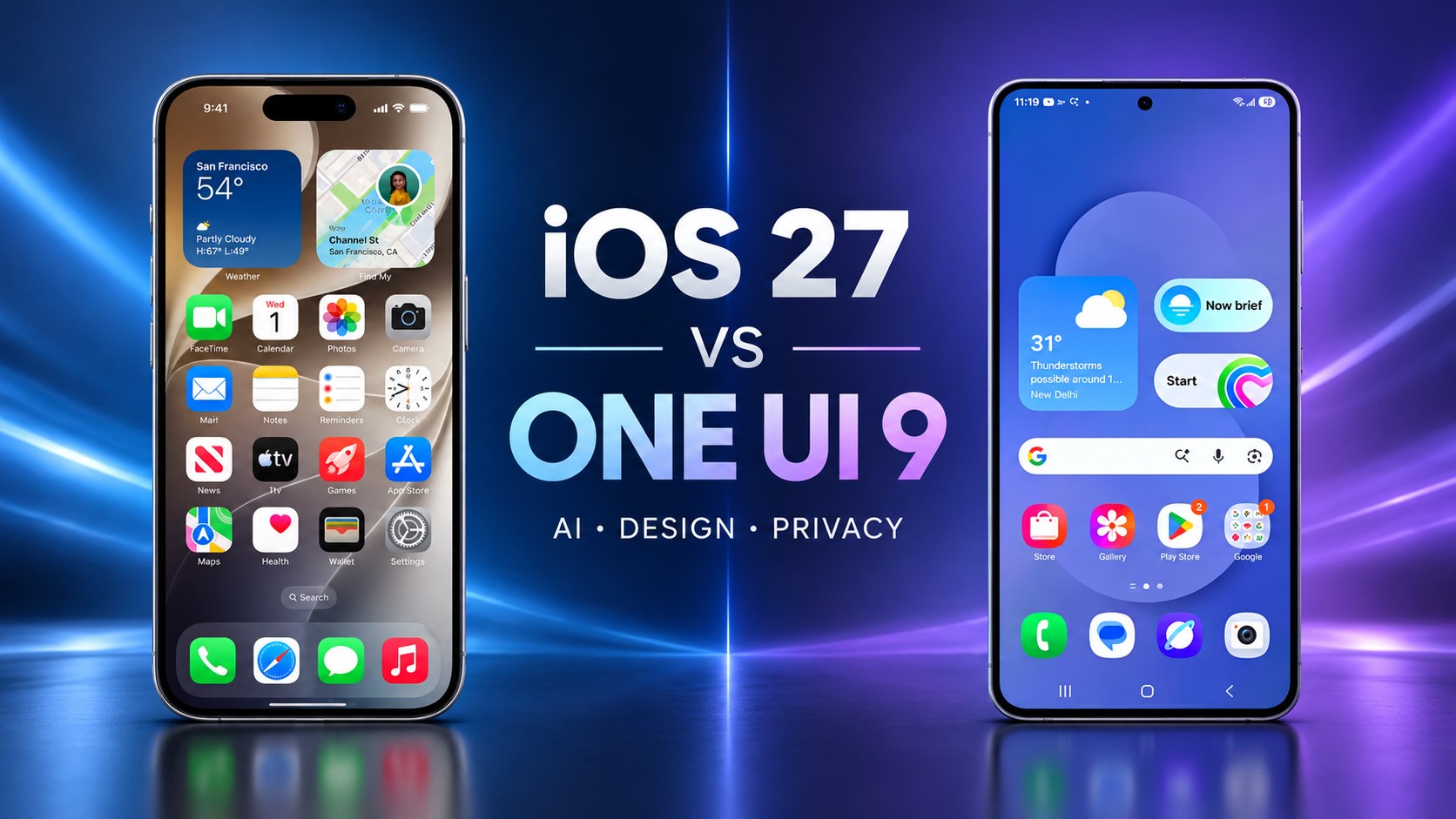
The tech world is buzzing about the iOS 27 vs. One UI 9 rivalry. Apple officially released its major update on September 14. Samsung is currently expanding its beta testing for eligible Galaxy devices. Consequently, users face a fascinating choice between these two powerful ecosystems. Both platforms introduce massive artificial intelligence upgrades this year.
Apple targets a unified experience across 33 compatible devices. Samsung prioritizes deep customization and enhanced productivity tools. Meanwhile, Android fans receive incredible flexibility on supported foldable hardware. Mobile software now leans heavily into intelligent context awareness. Therefore, buyers must evaluate their daily workflows carefully.
🚀 Firmware Deployment
Comparison of OS release logistics and global update methodologies.iOS 27
- Method: Global Simultaneous
- Scale: Millions of devices instantly
- Result: Unified & Secure user base
One UI 9
- Method: Fragmented / Regional
- Platform: Samsung Members app
- Result: Early severe bug fixes
Interface Aesthetics and General Usability
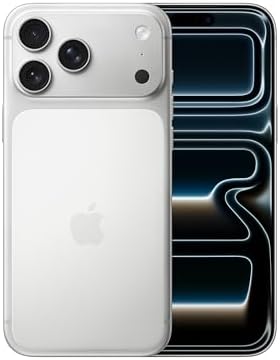
Visual harmony clearly defines Apple’s newest software overhaul. The Liquid Glass material dynamically adapts to ambient lighting. Additionally, it reacts to physical movement with realistic specular highlights. Users gain unprecedented transparency controls for their home screens. Apple firmly favors a curated aesthetic for its loyal audience.
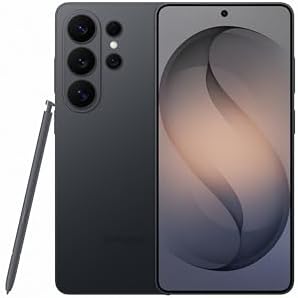
Samsung targets power users directly with its latest interface design. The redesigned Quick Panel provides granular layout control features. Accordingly, users easily resize brightness sliders to fit their preferences. New glassy effects and waveform animations modernize the Android experience. Conversely, Samsung provides ultimate freedom through advanced widget themes.
🎨 Interface Aesthetics
Visual harmony, material design, and layout controls.Artificial Intelligence Developments
Artificial intelligence completely dominates the spec sheets for both updates. Apple spent billions acquiring startups like Q.ai and Huxe. Thus, Siri AI now understands deep personal context flawlessly. Users can prompt Siri to analyze live on-screen content. Apple handles most AI requests locally using on-device processing.
Samsung integrates Gemini-powered intelligence directly into its primary web browser. The system handles complex multi-step tasks very efficiently. Moreover, features like My FanCam automatically reframe video recordings. Galaxy AI prioritizes practical productivity tasks above all else. However, this strategy heavily relies on external cloud integration.
🤖 Artificial Intelligence
Massive smart processing upgrades and startup acquisitions.Contextual Siri AI
- ✓ Flawless personal context
- ✓ Live on-screen content analysis
- ✓ Localized privacy requests
Galaxy AI (Gemini)
- ✓ Native Web Browser Integration
- ✓ Complex multi-step task handling
- ✓ My FanCam Auto-reframing
Performance Metrics and Smoothness
System performance remains a critical metric for both tech giants. Apple proudly claims app launches now run 30% faster. Similarly, AirDrop transfers see massive speed improvements up to 80%. The system smoothly manages transitions between Wi-Fi and cellular networks. Hardware specifications dictate the actual real-world speed experienced.
Samsung focuses heavily on smoother navigation and general app continuity. The platform seamlessly supports two-way and three-way split-screen layouts. Specifically, foldable device owners benefit massively from these structural enhancements. Users can snap windows effortlessly within the modern DeX environment. Consequently, power users achieve superior multitasking efficiency on Galaxy phones.
⚡ Performance & Smoothness
Speed benchmarks, network transitions, and structural efficiency.🍎 iOS 27 Speed
📱 One UI 9 Multitasking
Update Logistics and Firmware Deployment
Apple and Samsung employ entirely different firmware rollout methods. Apple announces a firm date and delivers it globally. Millions of eligible iPhones update simultaneously without any delay. This precision keeps the massive user base unified and secure. Meanwhile, robust privacy architectures protect sensitive personal data effectively.
Samsung relies on a fragmented, device-specific update schedule. The stable One UI update currently lacks a concrete launch date. Subsequently, older Galaxy devices remain stuck in beta testing. Users must wait for regional releases through Samsung Members. Nevertheless, this gradual approach ensures developers fix severe bugs early.
Core Feature Overview
The table below outlines the primary functional differences clearly. Both platforms push the boundaries of modern smartphone capabilities. Mobile technology currently enters an exciting new intelligence era. Evaluating these specific technical differences helps consumers make informed decisions. Therefore, we present the key software distinctions directly below.
| Core System Feature | Apple Mobile Ecosystem | Samsung Galaxy Ecosystem |
| Primary Design Focus | Visual synergy and simplicity | Hardware flexibility and control |
| Multitasking Layouts | Standard fixed app views | Advanced split-screen multitasking |
| Smart Virtual Agent | Contextual Siri AI assistant | Gemini-powered productivity tools |
| Core Visual Style | Liquid Glass transparent design | Customizable Quick Panel layout |
Comparing these specific elements reveals starkly divergent design philosophies. Apple locks down the basic user experience to ensure stability. Alternatively, Samsung unlocks the operating system for maximum user control. The final choice depends entirely on individual consumer preferences. Ultimately, neither approach is objectively wrong in today’s market.
Media Controls and Camera Tools
Apple introduces advanced equalizer controls for AirPods this year. Users simply slide bars to adjust noise cancellation intensity. The new Siri mode analyzes viewfinder imagery instantly. The camera app easily identifies food nutrition and splits bills. Furthermore, Apple automatically blurs sensitive content to protect young children.
Samsung improves its native camera application significantly as well. The My FanCam feature completely isolates subjects within crowded videos. Moreover, users can record video from multiple lenses simultaneously. You edit these dynamic clips using simple spoken voice commands. However, Samsung restricts some advanced functions to its premium models.
📸 Media & Camera
Photography tools, editing suites, and audio controls.🍎 Apple Tools
📱 Samsung Tools
System Security and Privacy
Digital security remains paramount for modern smartphone consumers today. Apple heavily expands its child safety tools and parental controls. Thus, parents easily monitor screen time across different application categories. The system proactively warns users about insecure passwords immediately. Apple processes private compute requests entirely on the device.
Samsung provides robust security enhancements through its Advanced Protection Mode. The software actively detects suspicious apps and suggests immediate deletions. Meanwhile, the system places a prominent location-tracking indicator onscreen. You easily monitor which services access your personal data background. Thereby, Galaxy owners maintain strict control over their privacy permissions.
🔒 System Security & Privacy
Digital safety, parental controls, and data monitoring.Apple Privacy
Samsung Protection
Native Application Improvements
Both companies deeply refine their core proprietary software applications. Apple reorganizes Safari to group tabs automatically based on context. The browser instantly notifies users when important webpages change. The updated Wallet application introduces smarter bill-splitting capabilities. Furthermore, Maps incorporates artificial intelligence to enhance aerial flyover visuals.
Samsung upgrades its native file manager to handle PDF documents. Users no longer need third-party applications to read standard files. Similarly, Samsung Notes gains a clever tape tool for studying. You easily hide text and reveal it using the S-Pen. Therefore, students find the Galaxy ecosystem incredibly conducive to learning.
📶 Native Apps & Integration
Proprietary application improvements and network management.🍎 Apple Ecosystem
Context & Visuals
Auto-grouped tabs and AI-enhanced Maps aerial flyover.Smart Finance
Introduces new automated bill-splitting capabilities.Mac & GymKit
Direct Mac screen mirroring and cardio fitness data sync.📱 Samsung Ecosystem
Native PDF Support
Read standard files without third-party applications.S-Pen Tape Tool
Hide and reveal text dynamically for efficient studying.Data Granularity
Onscreen speed indicators and app-specific cellular blocks.Network and Ecosystem Integration
Apple excels at building a tightly interwoven product ecosystem. Users mirror their phone screens directly onto their Mac computers. Hence, you control mobile applications using a desktop keyboard effortlessly. The new GymKit integration syncs fitness data during cardio workouts. Apple enables 5G+ network support for users in India.
Samsung approaches connectivity through broad compatibility and flexible networking. The updated software adds an internet speed indicator directly onscreen. Moreover, the system blocks specific apps from accessing cellular data. Users track background activities efficiently using the new floating bar. Ultimately, this granular control prevents unexpected network data overage charges.
iOS 27 vs. One UI 9
Choosing a clear winner remains impossible given their fundamental differences. Apple undeniably delivers a smoother, more consistent software update cycle. Furthermore, its advanced conversational assistant sets a new industry standard. Some users find the rigid ecosystem slightly restrictive over time. However, the global simultaneous release strategy commands immense consumer respect.
Samsung caters beautifully to professionals requiring intense multitasking capabilities daily. Foldable device owners particularly maximize these unique structural software enhancements. Unfortunately, the delayed rollout strategy continues frustrating loyal global customers. Your personal daily workflow dictates the absolute best operating system. Finally, both updates represent phenomenal technical achievements in mobile computing.
Support Our Work
Help us keep creating and maintaining our projects. We appreciate your support!
Ways to contribute:
Shop via Affiliate LinksSupport us at no extra cost to you while you shop.
Support on Ko-fiBuy us a coffee to keep the engine running!



Leave a Reply