

The Evolution of Touch Laptops
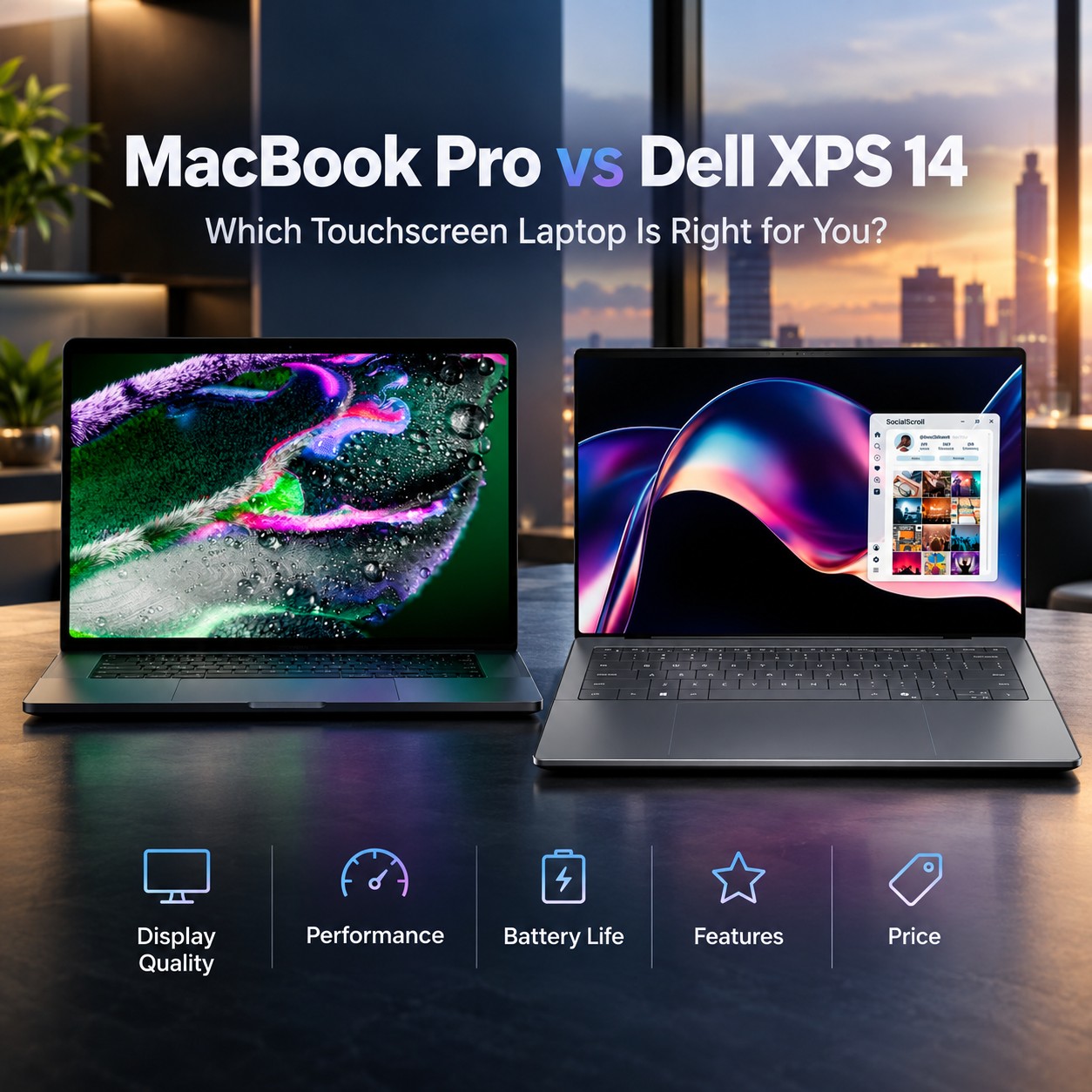
Tech analysts actively evaluate the Apple MacBook Pro Touchscreen vs. Dell XPS 14 Touchscreen following recent hardware releases. Apple recently unveiled its first touch-enabled laptop during an autumn showcase event in Los Angeles. Meanwhile, Dell refreshed its premium laptop lineup with Intel Panther Lake processors earlier this year. Both hardware makers now target creative professionals who demand high performance and intuitive displays. Furthermore, this competition signals a major paradigm shift for premium laptop display standards. Software developers actively refine desktop user interfaces to support direct finger gestures. Consequently, content creators gain flexible input choices across both flagship hardware platforms.
Historically, Apple resisted touch screens on laptops to protect its iPad business lines. However, changing user demands forced Apple engineers to rethink their traditional laptop design philosophy. Dell maintains years of experience building multi-touch displays into compact Windows ultraportables. Buyers must now compare display quality, processor power, and battery performance across both platforms. In addition, global supply chain costs impact laptop prices across all retail tiers. Market competition encourages continuous hardware engineering refinements from both technology leaders. This shifting dynamic transforms expectations for modern high-end laptops in the current market.
Display Breakthroughs and Chassis Innovations
Apple integrated custom OLED panels into its new fourteen-inch MacBook Pro display frame. Specifically, engineers built a reinforced hinge to eliminate screen wobble during direct touch actions. The display cutout replaces the notch with an interactive Dynamic Island feature. Redesigned cooling ducts now direct thermal airflow straight through the display hinge mechanism. Notably, Samsung Display manufactures these advanced OLED panels in South Korea. Thin display bezels maximize viewing area while preserving structural chassis strength. Therefore, visual artists receive vibrant colors and deep black levels across editing applications.
Dell features a vibrant Tandem OLED touchscreen inside the XPS 14 chassis. For instance, the screen provides crisp 2880 by 1800 resolution with dynamic 120Hz refresh rates. Dell restored physical function keys and touchpad borders after listening to user feedback. The CNC-machined aluminum body delivers high durability alongside a comfortable soft-touch palm rest. Additionally, Gorilla Glass 3 protects the glass touch surface against daily wear. Both devices weigh around three pounds, providing exceptional mobility for traveling professionals. High screen brightness guarantees excellent readability in brightly lit office environments.
Next-Generation Silicon Architectures
The touch MacBook Pro runs on Apple M5 Pro and M5 Max processor chips. These systems execute heavy computational workloads with high energy efficiency during long creative sessions. As a result, Apple skipped M6 Pro chips for high-end laptops, planning M7 models for late 2027. Expanded memory bandwidth supports fast video rendering and complex multi-track audio production work. Integrated neural engines accelerate artificial intelligence algorithms without draining system power reserves. Thus, video editors experience seamless timeline scrub rates on high-resolution project files. Apple’s unified memory architecture eliminates data bottlenecks between CPU and GPU clusters.
Dell powers the XPS 14 using Intel Core Ultra Series 3 Panther Lake architecture. Accordingly, the integrated Intel Arc B390 graphics processor delivers impressive gaming and rendering frame rates. The system includes 32GB of LPDDR5X memory running at 9600 MT/s speeds. Dedicated neural processing units handle real-time background tasks inside Copilot+ applications. Similarly, efficient thermal design prevents severe processor throttling under continuous heavy workloads. Content creators can configure up to 64GB memory for extreme multitasking capacity. High memory bandwidth ensures smooth performance across demanding 3D rendering applications.
Apple MacBook Pro Touchscreen vs. Dell XPS 14 Touchscreen: Detailed Comparison
Comparing technical specifications highlights distinct design priorities between Apple and Dell engineering teams. Shoppers must weigh raw processor capacity against software needs and purchase price. Dell provides lower entry prices, whereas Apple targets high-end creative performance. Nevertheless, both laptops provide premium display panels and robust aluminum construction. Below is a detailed hardware breakdown summarizing both flagship laptops. Hardware buyers can evaluate core components to match specific professional needs. Each platform delivers distinct operational advantages for modern software workflows.
Pricing structures reflect different baseline hardware choices for touchscreen OLED models. In contrast, Apple includes higher unified memory capacity to justify its elevated entry cost. Dell offers flexible internal storage options scaling up to four terabytes PCIe SSD capacity. Likewise, Apple provides expandable storage configurations up to sixteen terabytes on top models. Port selection on both laptops relies heavily on versatile Thunderbolt 4 connectors. Dell includes a standard headphone jack alongside three high-speed USB Type-C ports. Users who need USB-A ports must rely on external expansion dongles.
Software Integration and User Interactions
macOS Golden Gate adds direct touch support without abandoning standard trackpad control systems. In particular, core applications gain convenient pull-to-refresh gestures derived from mobile iPad interfaces. Dynamic Island expands dynamically to present background alerts and active media playback controls. Updated Sidecar software allows direct touch navigation across connected external iPad displays. macOS automatically adjusts tap target sizes when detects finger input on screen elements. Sub-menus expand fluidly to make touch navigation precise and frustration-free. Resultantly, creative professionals transition smoothly between keyboard typing and screen tapping.
Windows 11 on the XPS 14 offers established touch optimization across standard applications. Besides, Copilot+ features leverage local neural processing units for fast real-time artificial intelligence tools. Finger gestures feel responsive across the smooth glass palm rest and InfinityEdge screen. Digital artists enjoy intuitive canvas rotation inside major design software packages. On the other hand, traditional Windows menus occasionally feature small touch target icons. Third-party software vendors regularly update desktop apps to improve multi-touch responsiveness. Overall, touch control enhances overall productivity during media consumption and light editing.
Battery Efficiency and Daily Practicality
Efficient hardware tuning guarantees long battery life across both touchscreen laptops. Dell equips the XPS 14 with a seventy watt-hour three-cell battery pack. Subsequently, local video tests record up to fifteen hours of runtime on OLED models. Fast 100W USB Type-C power adapters restore battery capacity quickly during intense workdays. Power management software optimizes voltage output based on active application requirements. Users can adjust power profiles to maximize battery conservation during travel. Hence, mobile professionals work confidently without searching for power outlets constantly.
Apple maximizes power savings through intelligent OLED pixel management inside macOS. M5 processor cores power down unused display pixels to extend operational battery life. Quiet fans keep the laptop chassis cool during prolonged graphic editing sessions. Quad speakers deliver clear audio with impressive spatial depth for music and video. High-resolution webcams enhance video call clarity during remote client conferencing meetings. Nonetheless, continuous max-brightness display usage drains battery reserves faster under load. Efficient standby modes prevent parasitic power drain when closing the laptop lid.
Strategic Market Implications and Industry Outlook
Apple’s transition into touch laptops sets new competition benchmarks for premium computer manufacturers. Rival brands must innovate rapidly to retain demanding creative users in competitive markets. Simultaneously, Dell preserves strong market presence through flexible Windows workflows and attractive entry prices. Apple provides superior unified memory integration alongside industry-leading silicon processor efficiency. Further, touch input support expands user accessibility for non-traditional desktop computer tasks. Component shortages continue to influence retail pricing structures across global technology markets. Indeed, modern laptops combine premium materials with high energy efficiency to satisfy user demands.
Purchasing choices depend upon ecosystem preferences and specific workflow budgets. Creative professionals using Apple software will gain immense productivity from the touchscreen MacBook Pro. Alternatively, Windows power users gain exceptional value and refined hardware from the XPS 14. Hardware competition drives software developers to optimize touch gestures across mainstream desktop software. Looking ahead, future laptop iterations will feature further display advancements and neural processing capabilities. Consumers benefit from enhanced display choices and powerful silicon hardware options. Ultimately, both flagship notebooks advance display tech and portable computing standards for users worldwide.
Support Our Work
Help us keep creating and maintaining our projects. We appreciate your support!
Ways to contribute:
Shop via Affiliate LinksSupport us at no extra cost to you while you shop.
Support on Ko-fiBuy us a coffee to keep the engine running!




Leave a Reply