
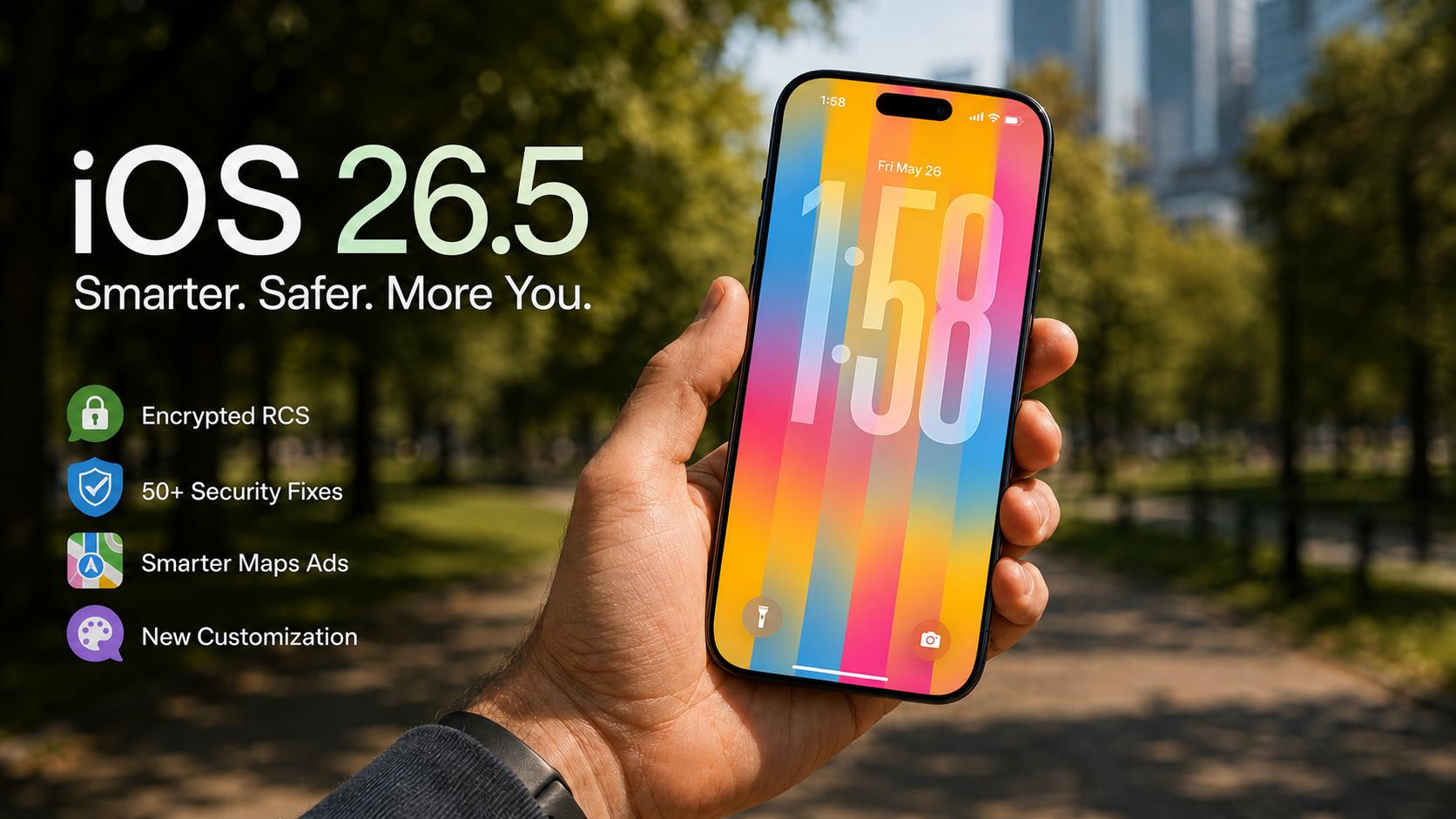
Apple launched the newest version of its mobile operating system, iOS 26.5, on May 11, 2026. This software arrived nearly two months after the substantial iOS 26.4 update. Specifically, the update introduces several long-awaited tweaks and improvements. Many users were excited to see how it handled the Liquid Glass interface. However, the release focuses more on security and regulatory compliance than aesthetics. Therefore, tech enthusiasts should look beyond the surface of this latest download.

The installation process remains simple for all eligible iPhone users. You can find the update by visiting the Settings app on your device. Specifically, navigate to General and then tap on the Software Update menu. Most modern iPhones from the iPhone 11 and later are fully compatible. Meanwhile, older hardware must rely on legacy security branches like iOS 18.7.9. Consequently, Apple ensures that even legacy users stay protected from common threats.
Apple’s strategy has shifted toward better ecosystem unification in 2026. This release serves as a bridge to the upcoming iOS 27 reveal. Specifically, it addresses feedback from the initial Liquid Glass rollout. The update aims to stabilize the platform before the WWDC keynote. Furthermore, it prepares the system for new international marketplace rules.
Secure Messaging Innovations
The headlining feature of this version is encrypted RCS messaging. Apple finally brought end-to-end encryption to conversations between iPhone and Android. This change closes a massive privacy gap that existed for decades. Consequently, your messages to non-Apple friends are now safer than ever. The feature is currently labeled as a beta release. Nevertheless, all three major American carriers are already testing the protocol.
Users will notice a small lock icon in their message threads. This visual cue appears for both RCS and iMessage conversations. Specifically, the icon confirms that no third party can read your chat. While green bubbles remain, the underlying security is now significantly improved. However, both participants must have carriers that support the feature. Therefore, some users may not see the encryption status immediately.
Apple collaborated with Google to implement the GSMA Universal Profile. This ensures high-resolution media and read receipts work across platforms. Moreover, typing indicators are now standard for these cross-platform chats. This move represents a historic shift in Apple’s messaging philosophy.
New Revenue Models for iOS 26.5
Apple is introducing localized advertisements to the Maps application. These ads will appear when users search for nearby businesses. Specifically, paid results will sit at the top of the search bar. This change marks a significant step in Apple’s monetization strategy. Meanwhile, the company promises that user privacy remains a top priority. Consequently, search terms are not linked to individual Apple Accounts.
A new “Suggested Places” section highlights trending local venues. This menu populates based on your recent searches and location. Furthermore, businesses can pay for prominence within these discovery lists. All sponsored content features a clear blue “Ad” label. This helps users distinguish between organic and paid recommendations. However, some users have expressed concern about clutter in the app.
The advertising identifiers reset multiple times every single hour. This prevents advertisers from building a permanent profile of your habits. Specifically, the app does not track which neighborhoods or clinics you visit. Therefore, the system balances revenue needs with user security.
| Feature | iOS 26.4 Standard | iOS 26.5 Enhancement |
| RCS Status | Standard RCS Support | End-to-End Encryption (Beta) |
| Maps Search | Organic Results Only | Sponsored “Suggested Places” |
| Wallpapers | Static Pride Designs | Dynamic Pride Luminance |
| Accessories | Manual Bluetooth Pairing | USB-C Magic Pairing Support |
| Data Transfer | Full Media Migration | Selective Message Attachments |
| Security | Baseline 26.0 Patches | 50+ Critical Vulnerability Fixes |
Dynamic Visual Customization
The update features the new “Pride Luminance” wallpaper collection. This design celebrates LGBTQ+ communities with vibrant, refracting colors. Specifically, the background animates when you move or unlock your phone. Unlike static images, this motion wallpaper creates a unique visual effect. Moreover, the radial design rays align with the current time.
| Feature | iOS 26.5 |
|---|---|
| RCS Privacy | End-to-End Beta |
| Maps | Sponsored Results |
| Wallpapers | Dynamic Luminance |
Users can customize the wallpaper with twelve different color choices. This makes it one of the most flexible system designs ever. Notably, there is a matching watch face in watchOS 26.5. This synergy ensures a unified look across all Apple hardware. However, the complex animations require significant GPU power to render.
The Liquid Glass aesthetic remains the core of the interface. This style makes app icons look like droplets on the screen. Furthermore, the software now offers a “Tinted” version of the effect. This option helps users who find the “Clear” style too distracting. Consequently, the interface is becoming more accessible for diverse visual needs.
Accessory Pairing in iOS 26.5
Connecting peripherals to your iPhone is much easier now. Specifically, you can pair Magic Accessories using a physical cable. Simply plug your Magic Keyboard into the phone’s USB-C port. The devices will then pair automatically without navigating menus. Meanwhile, the connection remains wireless once you remove the cable.
This feature mirrors the pairing process found on modern Macs. It eliminates the need to fiddle with Bluetooth settings manually. Furthermore, third-party accessories are also seeing improvements in Europe. The quick-pairing experience is now open to non-Apple headphones. Consequently, users have more choices for their productivity setup.
Apple recently acquired the San Francisco startup Prompt AI. This firm focuses on computer vision and local device intelligence. Specifically, its technology may improve how the iPhone detects nearby accessories. Therefore, users can expect even faster connectivity in future updates.
Global Regulation Compliance
Apple is adjusting its ecosystem to meet new international laws. Specifically, the update prepares for third-party stores in Brazil. This follows a settlement with the competition watchdog CADE. Meanwhile, Brazilian developers can now use external payment links. Accordingly, Apple will charge a reduced fifteen percent commission fee.
The European Union also sees expanded features for the DMA. Users there can now mirror Live Activities to non-Apple devices. Furthermore, third-party smartwatches can interact more deeply with notifications. These changes reflect a move away from the walled garden. However, these specific updates are currently unavailable in other regions.
Regulatory pressure has also influenced how Apple handles data. The company believes these changes introduce new security risks. Specifically, they are working to protect younger users in Brazil. Nevertheless, they must comply with the April implementation deadline.
Data Migration for iOS 26.5
Switching to an Android device is more precise in this version. Specifically, users can now choose which message attachments to transfer. This prevents storage bloat on the new smartphone. Previously, the migration tool moved every single media file. Consequently, the process was often slow and frustrating.
Users can now select only the photos they really need. This selective transfer gives consumers more control over their data. Moreover, annual subscriptions now offer a monthly payment option. This feature is currently limited to certain international markets. Nevertheless, it helps users manage their software expenses more easily.
Apple’s acquisition of the German firm Patchflyer may improve media. This firm developed the color management tool Color.io. Specifically, its tech might help with color grading in photos. Therefore, transferred attachments might look better on the new device.
Security Content Analysis
The update addresses more than fifty individual security flaws. Many of these vulnerabilities affected the Kernel and WebKit. Specifically, Apple patched a bug that allowed sandbox breakouts. This prevents malicious apps from accessing sensitive system data. Therefore, installing the software is critical for all users.
A privacy issue with Screenshots was also resolved. This flaw could have allowed access to Visual Intelligence data. Furthermore, memory handling in the Accelerate component was improved. Apple acknowledged help from researchers at Google Project Zero. Consequently, the system is now much more resilient to attacks.
The APFS component received bounds checking to fix buffer overflows. This prevents malicious files from causing unexpected system crashes. Moreover, AppleJPEG received fixes for memory corruption during media processing. Specifically, these patches target vulnerabilities used by professional attackers.
Performance Costs of iOS 26.5
The Liquid Glass interface comes with a high hardware cost. GPU usage can reach forty percent during message animations. Specifically, users report that their devices feel uncomfortably hot. This overheating is especially noticeable on the iPhone 17 Pro. Meanwhile, battery life has also taken a significant hit.
Background indexing after an update consumes a lot of energy. This typically lasts for several hours after installation. Furthermore, the vapor cooling chamber struggles with high translucency tasks. Users might see icons disappear or animations become sluggish. Accordingly, some people are delaying the update for stability.
Older devices like the iPhone 11 may struggle with rendering. Specifically, the Liquid Glass effects demand high graphics memory. Users can turn off wallpaper blurs to save power. Alternatively, they can switch to the new Adaptive Power mode. Consequently, they can regain some of their lost battery life.
Strategic Leadership Transitions
Apple is preparing for a major change in leadership. John Ternus will replace Tim Cook as CEO in September. Specifically, Ternus brings a strong hardware engineering background. This shift may lead to a more product-driven strategy. Meanwhile, Tim Cook will serve as the executive chairman.
The company is currently focused on the June WWDC event. iOS 27 is expected to feature Gemini-powered Siri. Furthermore, rumors suggest that a folding iPhone is coming. This software iteration provides the foundation for those future plans. Consequently, the current version is a vital stepping stone.
Apple’s future hardware roadmap includes an OLED iPad mini. This device will likely arrive in mid-2026 with M5 chips. Moreover, a touchscreen MacBook Pro is currently under development. Specifically, these products will require a more efficient software core. Therefore, Ternus will likely prioritize software stability in 2027.
Support Our Work
Help us keep creating and maintaining our projects. We appreciate your support!
Ways to contribute:
Shop via Affiliate LinksSupport us at no extra cost to you while you shop.
Support on Ko-fiBuy us a coffee to keep the engine running!



Leave a Reply