
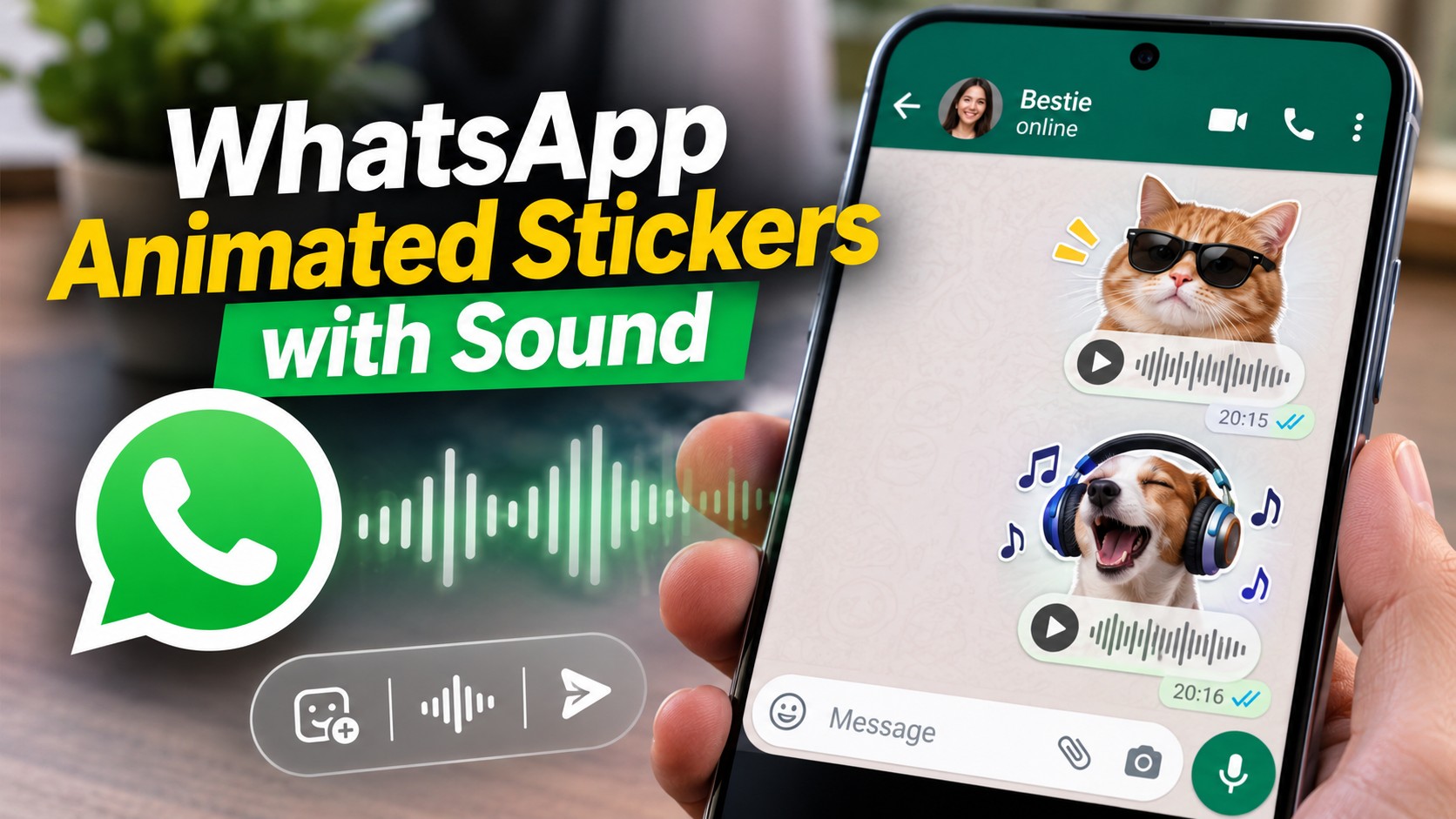

WhatsApp Brings Audio to Animated Stickers Across Android and iOS
Testing for WhatsApp New Animated Stickers with Sound now spans Android and iOS beta channels. Specifically, WhatsApp began releasing this audio sticker format on November 24 and 25, 2026. Creators convert gallery videos into animated stickers carrying custom recordings, preset effects, or original audio. Recipients tap a small audio icon to play three sound loops inside chats. WhatsApp mutes incoming clips and protects visuals and audio with end-to-end encryption.
WhatsApp, however, has not published an official announcement or global release date. Early tech news reports framed the rollout as an Android-only experiment. WABetaInfo spotted iOS TestFlight build 26.46.10.70 and select App Store accounts on November 25. Moreover, Meta has not disclosed official audio codecs, bitrates, or file limits yet. This feature pairs with a standalone WhatsApp Stickers hub under active development.
Beta Rollout Timeline Across Android and iOS
Previously, WABetaInfo found hidden sound sticker code inside Android beta 2.26.41.3 on October 13. Android Authority activated the dormant editor on October 16 inside build 2.26.41.11. That APK teardown revealed an optional border toggle alongside audio attachments. In the prototype, WhatsApp extracted five seconds of sound from source video clips. Image stickers in that test build accepted ten-second voice recordings or stored phone audio.
Android Authority warned in October that teardown tools can change or miss release. Live user testing began six weeks after those leaks across Android and Apple devices. Currently, WhatsApp beta for Android 2.26.47.1 delivers sound stickers through Google Play. Google Play beta slots fill quickly, limiting immediate access for new testers. As a result, most Android users must wait for wider server-side expansion. Apple users receive the format in TestFlight beta 26.46.10.70 and select App Store builds.
Brazilian outlet Exame reported that initial sound stickers surfaced for some users on November 24. WhatsApp Web places the sound indicator top-right, unlike mobile apps showing it top-left. Saved sticker trays mark audio-enabled clips with a small waveform badge. Nonetheless, server-side switches control availability, leaving many updated beta testers waiting. Active November beta guides document converting gallery videos into sound stickers.
🚀 WhatsApp Audio Stickers: 6-Week Journey from APK Leak to Live Beta
Hidden Code & Teardown
- WABetaInfo spotted sound sticker code in Android beta 2.26.41.3 (Oct 13).
- Android Authority activated the dormant editor in build 2.26.41.11 (Oct 16).
- Prototype revealed an optional border toggle, 5s video audio extraction, and 10s image audio.
Android Beta Rollout
- Brazilian outlet Exame reported initial sound stickers surfacing on Nov 24.
- Delivered via Google Play beta 2.26.47.1 with active November creation guides.
- Google Play beta slots fill fast, leaving wider access to server-side switches.
iOS TestFlight & App Store
- Disproved early reports claiming an Android-only experiment.
- WABetaInfo spotted iOS TestFlight 26.46.10.70 and select App Store builds.
- Official global launch date and audio file limits remain unannounced by Meta.
Indicator & Tray Badges
- Android & iOS Apps: Speaker icon sits in the top-left corner of stickers.
- WhatsApp Web: Places the sound indicator in the top-right corner.
- Saved Sticker Trays: Mark audio-enabled clips with a small waveform badge.
How WhatsApp New Animated Stickers with Sound Work
Creating a sound sticker takes place inside the familiar chat sticker keyboard. Users tap “Create sticker” and pick any clip from their phone gallery. WhatsApp converts that video into an animated sticker and displays a top audio button.
Older workarounds forced people to send separate audio notes right beneath silent images. Consequently, external sticker apps cannot attach soundtracks to your saved collections. Every audio sticker must originate inside WhatsApp’s native editing screen.
🎤 How WhatsApp Audio Stickers Are Created (4 Sound Paths)
Audio Sources and Editor Controls
Tapping the top audio button opens WhatsApp’s audio selection screen. Creators, accordingly, choose among four distinct audio customization paths. You can keep original video sound, import audio files, or record voice notes.
In addition, a built-in library supplies preset sound effects for comedic timing. iOS testers spot tracks like Human Voice Wow, Evil Laugh, Crickets, and Cat Purr. The editor lets creators preview finished tracks prior to sending.
Playback Behavior and Encryption
WhatsApp mutes every sound sticker by default across private and group chats. Therefore, unexpected audio never disrupts people reading busy chat threads. Recipients tap the speaker icon to play three audio loops matching the animation.
Early Android development builds respected phone silent mode and remembered mute preferences. Android beta reports confirm end-to-end encryption shields both visuals and attached audio. WABetaInfo’s iOS report, on the other hand, omitted encryption details.
Technical Specifications and Cross-Platform Landscape
Official developer documentation sets tight technical boundaries for third-party animated sticker packs. For instance, packs use 512×512-pixel WebP clips under 500 KB lasting ten seconds. Bundles hold 3 to 30 stickers with a 96×96-pixel PNG tray icon under 50 KB. Furthermore, WhatsApp added Lottie vector support in June 2024 for smoother Store animations. Official specifications for sound sticker codecs, bitrates, and audio size caps remain undisclosed.
🔇 Muted Defaults, 3-Loop Playback & Technical Boundaries
- Arrives muted by default in private and group chats so threads stay quiet.
- Tapping the speaker icon triggers 3 audio loops synced to the animation.
- Early Android builds respected phone silent mode and remembered mute preferences.
- Android Beta Confirmed: End-to-end encryption shields both sticker visuals and attached soundtracks.
- iOS Report Note: WABetaInfo’s iOS TestFlight coverage omitted explicit encryption details.
- Native Security: Audio tracks stay bound to WhatsApp’s encrypted message transport.
- Official audio codecs, bitrates, and sound size limits remain undisclosed by Meta.
In contrast, Telegram strictly prohibits audio tracks inside VP9 WebM video stickers. Apple iMessage supports 618-pixel APNG and HEICS animations without built-in sound features. Discord separates silent 320-pixel stickers from its five-second MP3 voice-call Soundboard. Similarly, LINE pairs APNG visuals with four-second M4A clips across its Creator Market. WhatsApp adapts that audio-visual concept for free, end-to-end encrypted messaging.
🌐 Cross-Platform Animated Sticker & Audio Comparison
Standalone Stickers App and Monetization Strategy
Audio stickers anchor a wider strategic overhaul across Meta’s messaging business. Back in August 2024, WhatsApp partnered with GIPHY to expand searchable sticker libraries. Additionally, WABetaInfo revealed a standalone “WhatsApp Stickers” app in development on November 25. That companion app will organize discovery through Browse, Search, Yours, and Insights tabs. Tapping an “Add” button imports creator packs directly into your chat library. Creators can seek early access to upload packs pending likely manual review.
Meanwhile, Meta pruned underperforming identity tools from the chat drawer. In May 2026, WhatsApp started removing metaverse-style Avatars amid likely low adoption. Instead, Meta focused on practical additions like January 2026 text stickers and event reminders. On the revenue side, Q4 2025 earnings showed WhatsApp surpassing a $2 billion annualized run rate. Paid business messaging drove that growth alongside June 2025 Status ads. Subsequently, WhatsApp tested a paid WhatsApp Plus tier with special-effect overlay stickers. That paid tier raises pinned chat limits from three to twenty threads. WABetaInfo reportedly spotted trial prices near €2.49 in Europe and $2.99 in Mexico. Standard accounts, nevertheless, receive custom sound stickers inside the regular beta test.
🎨 Standalone Stickers Hub, WhatsApp Plus & 2026 Feature Wave
- Spotted in active development on Nov 25, 2026 (building on Aug 2024 GIPHY search).
- One-tap “Add” button imports creator packs directly into your chat tray.
- Creators can apply for early access to upload packs pending likely manual review.
- WhatsApp Plus Trial: Adds special-effect overlay stickers and raises pinned chats from 3 to 20.
- Free Standard Tier: Custom audio stickers remain available to standard beta accounts.
- Avatars Removed: Metaverse-style Avatars pruned starting May 2026 after low adoption.
- Messenger Roots: Extends Facebook Messenger’s July 2021 preset Soundmojis (~23 clips) to user-made audio.
- Jan 2026: Text stickers & event reminders.
- Mid-2026: Usernames, iPad app & web calling.
- Aug 2026:
@allgroup mentions & upgraded polls. - Oct 2026: Guest calling for non-users.
- Mid-Nov 2026: 20-sticker reactions, shared themes & dual cameras.
- Nov 25, 2026: Scheduled messages (14 days) + 1Global eSIM travel data testing.
Ecosystem Wave and Messaging Industry Impact
Sound stickers cap a busy late-2026 release schedule across Meta’s chat platform. For example, November 25 brought scheduled messages supporting delays up to 14 days. Mid-November updates introduced 20-sticker message reactions, shared themes, dual cameras, and 1,500-member groups. October added guest calling for non-users following mid-2026 username, iPad, and web-calling launches. Group chats gained @all mentions and improved polls during August 2026 updates. Thus, engineers keep expanding WhatsApp’s utility alongside testing built-in 1Global eSIM travel data plans.
Across messaging apps, tap-to-play audio extends Meta’s earlier social experiments. Facebook Messenger debuted preset Soundmojis back in July 2021 ahead of World Emoji Day. Messenger initially offered roughly 23 preset sound bites that required a recipient tap. Conversely, WhatsApp lets billions turn personal voice clips and video memes into stickers. Short audio clips deliver punchlines faster than recording standalone voice notes. Ultimately, muted defaults balance expressive humor with quiet group chat etiquette.
Support Our Work
Help us keep creating and maintaining our projects. We appreciate your support!
Ways to contribute:
Shop via Affiliate LinksSupport us at no extra cost to you while you shop.
Support on Ko-fiBuy us a coffee to keep the engine running!






Leave a Reply